








)
)
What Is Azure Virtual Desktop?
Desktops or apps available anywhere
Azure Virtual Desktop is Microsoft’s desktop and application virtualization service that runs on Azure. It is a service for delivering full Windows desktops or individual applications with RemoteApp, including single-session and multi-session scenarios.
In practical terms, Azure Virtual Desktop gives IT teams a way to host Windows desktops and applications in Microsoft Azure and make them available to users from managed or unmanaged devices. Users by various means depending on the endpoint and access model.
VDI
Azure Virtual Desktop is part of the broader Virtual Desktop Infrastructure, or VDI, family. VDI separates the user endpoint from the Windows desktop or application environment. Instead of running the workload on the local device, the user interacts with a remote session hosted in a data center or cloud platform.
That architecture is powerful, but it is not always necessary. Many organizations that search for an Azure Virtual Desktop alternative are not rejecting Microsoft technology. They are asking a more practical question: do they need Azure-hosted VDI, or would secure access to existing Windows applications and desktops solve the business requirement with less operational weight?
Is Azure Virtual Desktop a DaaS Solution?
Azure Virtual Desktop is often evaluated alongside Desktop as a Service (DaaS) solutions because it delivers remote desktops and applications from cloud infrastructure. However, AVD is not packaged like every DaaS product. Microsoft provides the Azure-based virtualization service, while the customer still manages session hosts, images, applications, profiles, identity design and Azure resources.
This distinction matters for buyers. A company may want the outcome of DaaS, meaning remote desktops or applications available from anywhere, without wanting the full Azure operating model behind AVD. In that case, a self-managed remote access platform can be a better fit if the real requirement is application publishing or controlled access to existing Windows desktops.
What Does Azure Virtual Desktop Do Well?
Azure Virtual Desktop is strong when an organization wants to standardize virtual desktops and applications around Microsoft Azure. It is especially relevant for cloud-first IT teams, Microsoft 365-heavy environments and businesses which already have Azure networking, identity, monitoring and governance in place.
Full desktops and RemoteApp delivery
Azure Virtual Desktop supports both full desktop delivery and individual application delivery. Azure Virtual Desktop can provide a full Windows experience with Windows 11 , Windows 10 or Windows Server, as well as deliver individual applications through RemoteApp.
This flexibility matters for organizations with different user profiles. Some users may need a complete Windows desktop with a familiar Start menu, local-style workflows and persistent workspace expectations. Others may only need access to one or two line-of-business applications.
Azure Virtual Desktop can also support multi-session Windows scenarios, which can improve density for some use cases. That is one of the reasons AVD often appears in enterprise VDI and Desktop as a Service evaluations.
Microsoft ecosystem alignment
Azure Virtual Desktop fits naturally into Microsoft environments. Microsoft Entra ID is always used to authenticate users for Azure Virtual Desktop, and supported identity scenarios include Microsoft Entra ID, Active Directory Domain Services and Microsoft Entra Domain Services combinations.
For organizations already using Microsoft Entra ID, Microsoft 365, Intune, Defender, Azure Monitor and Azure networking, that alignment can be valuable. IT teams can build remote desktop access into a wider Microsoft architecture instead of managing an isolated remote access stack. For businesses already treating Azure as a strategic platform, Azure Virtual Desktop would be easier to justify than a separate access architecture.
Managed control plane and Azure scalability
Azure Virtual Desktop also reduces some traditional Remote Desktop Services infrastructure work. Microsoft notes that administrators manage the images and virtual machines used for sessions in their Azure subscription, but they do not need to personally manage supporting infrastructure roles such as a gateway or broker in the same way they would with Remote Desktop Services.
This is a significant benefit for enterprise deployments. Instead of designing every broker, gateway and management layer manually, IT teams can use the Azure Virtual Desktop service while still controlling the session hosts and images they deliver to users.
Azure scalability is another advantage if an organization already has the skills to plan Azure capacity, regions, networking and cost controls. Then, AVD can extend to support distributed workforces across multiple locations.
Why Do Businesses Look for a DaaS or Azure Virtual Desktop Alternative?
Businesses usually look for a DaaS or Azure Virtual Desktop alternative because the cloud desktop model may be more than the use case requires. In many buying discussions, Azure Virtual Desktop competes with Desktop as a Service platforms, Cloud PCs and application publishing tools. The question is not only whether AVD works, but whether cloud-hosted VDI is the simplest way to give users secure access to business applications.
Desktop as a Service, or DaaS, moves desktop delivery into a cloud operating model. Instead of maintaining every desktop locally, the organization gives users access to remote desktops or applications. These can alternately be hosted by a provider or public cloud platform, in a managed environment or via a hybrid infrastructure. This can be valuable for distributed workforces, contractor access, disaster recovery and standardized desktop management alike.
However, full DaaS is not always the lightest answer. Some organizations discover users do not need a complete hosted desktop. They need secure access to a finance application, ERP client, warehouse system, CRM utility or another Windows-based business tool. In those cases, self-managed remote access can solve the requirement without turning the project into a full cloud desktop deployment.
Cloud desktop costs can be difficult to predict
DaaS and Azure Virtual Desktop projects often involve more than a simple subscription line. IT teams may need to account for compute, storage, networking, profile management, monitoring, support and administrator time.
This does not make Azure Virtual Desktop expensive by default. It means the cost model needs active management . Cloud consumption works well when usage is planned and optimized, but it can be harder for smaller IT teams or MSPs to explain to customers who expect predictable monthly costs.
DaaS administration still requires desktop architecture decisions
DaaS can reduce some infrastructure responsibilities, but it does not remove desktop architecture work. IT teams still have to decide how users authenticate, where profiles live, how applications are updated, how policies are applied and how sessions are secured.
Azure Virtual Desktop is a clear example. Microsoft provides the Azure-based virtualization service, but administrators still manage session hosts, images, applications, user profiles, networking, identity design and Azure resources. That is a strong model for teams with Azure and VDI expertise, but such DaaS solutions can be heavy when the original requirement was application access.
Full hosted desktops may be unnecessary for application access
A common mistake in remote work planning is to treat every access requirement as a desktop requirement. If users only need one or two Windows applications, a complete hosted desktop may add complexity without improving the workflow.
Application publishing offers a narrower path or a hybrid choice. IT can publish the required Windows applications to the right users while keeping workloads centralized. If the goal is to reproduce an office desktop in the cloud, AVD or another DaaS platform may be appropriate. If the goal is controlled access to existing applications, self-managed remote access may fit better.
Cloud dependency may not match every infrastructure strategy
DaaS platforms depend on a cloud or provider-hosted operating model. That can be useful for organizations wanting to reduce on-premises infrastructure, support remote users across regions or standardize desktop delivery through a provider.
For other organizations, such dependency can be a limitation. Some businesses want to keep all or some applications on premises, in a private data center, with a regional hosting provider or in a hybrid environment. If infrastructure choice matters more than Azure alignment, a self-managed alternative seems more appropriate.
Some businesses need remote access, not DaaS or Azure
The clearest reason to look beyond DaaS is simple: the business may not need DaaS. It may need secure remote access to centralized Windows resources.
That distinction helps prevent overengineering. DaaS delivers cloud desktops. Azure Virtual Desktop provides Azure-based desktop and application virtualization. TSplus Remote Access provides self-managed access to Windows applications and remote desktops. The right choice depends on whether the organization needs a hosted desktop environment or practical access to existing Windows applications.
Azure Virtual Desktop vs Self-Managed Remote Access
The most important comparison is architectural. Azure Virtual Desktop and self-managed remote access can both help users work remotely, but they address the need differently.
Cloud VDI and self-managed remote access answer different questions
Azure Virtual Desktop is a cloud VDI and app virtualization platform. It is designed to host virtual desktops and applications through Azure and connect users securely from different devices. It is a good match when the organization wants Microsoft-managed brokering, Azure-hosted capacity and centralized desktop virtualization.
Self-managed remote access takes a different path. The organization chooses where to host the applications or desktops, then publishes access to users through a controlled portal or client. The workloads can remain on existing Windows Server infrastructure, a private cloud or another selected hosting environment.
The practical difference is ownership. With Azure Virtual Desktop, the organization adopts an Azure-centered VDI model. With self-managed remote access, the organization keeps more direct control over the infrastructure and avoids turning every requirement into a cloud desktop project.
Application publishing can be enough for many users
Application publishing is often the missing middle ground between local software and full VDI. Instead of assigning a complete virtual desktop, IT publishes specific Windows applications to specific users or groups.
For many business workflows, that is enough. Users do not care whether they receive a full desktop if they only need the ERP client, accounting software, CRM connector, warehouse tool or legacy Windows application. They need reliable access, good performance and a familiar user experience.
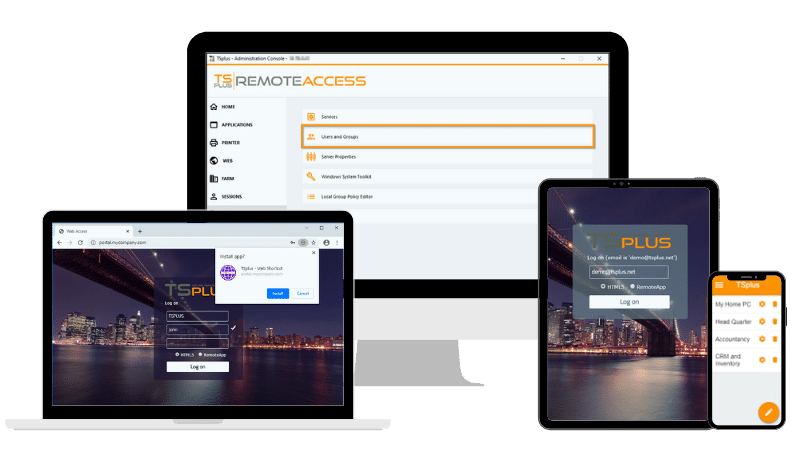
This is where TSplus Remote Access comes into its own. TSplus Remote Access provides application publishing and remote desktop access through a secure web portal. Via our HTML5 client, our software can deliver a full remote desktop or applications on any device using a web browser.
Infrastructure control changes the operating model
The choice between Azure Virtual Desktop and self-managed remote access affects the entire operating model. Azure Virtual Desktop shifts the project toward Azure design decisions: subscriptions, regions, virtual networks, host pools, storage, identity, profiles and consumption monitoring.
Self-managed remote access starts from the existing application estate. IT asks where the Windows applications should run, who should access them, which authentication controls are required and how sessions should be secured.
Neither model is universally better. The better option depends on whether the organization wants to modernize around Azure VDI and retrain staff as required or simply deliver secure remote access to existing Windows resources.
When Is TSplus Remote Access the Strongest Azure Virtual Desktop Alternative?
TSplus Remote Access is a strong Azure Virtual Desktop alternative when the organization does not need a complete Azure-hosted VDI platform. It fits best when the business wants to publish Windows applications, provide remote desktop access and keep the deployment easier to manage.
Publish Windows applications without full Azure VDI
TSplus Remote Access is designed for Windows application publishing and remote desktop delivery. Instead of building host pools and cloud desktop images for every user profile, IT can publish the applications users need from a centralized Windows infrastructure.
This is especially useful for businesses and organisations with line-of-business applications still running on Windows. Companies with existing proven accounting tools, ERP clients, CRM utilities, production software and legacy applications often do not need a complete cloud desktop around them. They need controlled remote access.
For buyers comparing Azure Virtual Desktop alternatives, this distinction is essential. TSplus is not a clone of AVD. Rather, it is a practical alternative when the outcome is secure application and desktop access , not full Azure VDI.
Keep infrastructure choice under your control
TSplus Remote Access allows the organization to use chosen infrastructure instead of committing the remote architecture entirely to Azure. That infrastructure can be on premises, hosted privately, deployed with a provider selected by the organization or a mix of the above.
This can help companies wanting predictable control over where their applications run. It can also support teams who already have Windows Server capacity, local applications, established backup routines and existing security policies.
For IT administrators, this model is often more direct. The application remains centralized. Users connect remotely. The organization manages access without redesigning the whole environment.
Simplify access for SMB, lean IT teams and Sys Admins
Azure Virtual Desktop may be highly capable, but the surrounding design can be demanding. Smaller IT teams might not want to manage VDI images, FSLogix profile storage, Azure networking, autoscaling plans and cost monitoring for a use case which only requires publishing a few applications.
TSplus Remote Access is more focused. It gives IT teams a way to publish applications and desktops through a web portal, assign access to users and manage remote sessions without adopting a full DaaS operating model.
This makes TSplus relevant for SMBs, mid-market companies, schools, regional organizations, managed service providers and systems administration generally. Such teams often need remote access which is secure, affordable and understandable for both administrators and business decision-makers.
Support browser-based access to business applications
Browser-based access matters because many users no longer work from a single managed office PC. They may use laptops, home devices, tablets or shared workstations. Installing and maintaining a full client on every endpoint may create additional support work.
TSplus Remote Access supports browser-based access through its HTML5 web portal. The user logs in through the portal, then applications or full desktops are displayed in the browser.
This model is useful when IT wants centralized control over Windows applications while giving users a simpler entry point. It also supports bring-your-own-device and contractor scenarios, provided the organization applies appropriate authentication, session and security policies.
Need secure, affordable app publishing without the complexity of full cloud VDI? Start your free TSplus Remote Access trial.
TSplus Remote Access Free Trial
Ultimate Citrix/RDS alternative for desktop/app access. Secure, cost-effective, on-premises/cloud
When May Azure Virtual Desktop Still Be the Better Choice?
Environments centered on Windows and Azure
Azure Virtual Desktop remains the better option when the organization truly needs Azure-hosted VDI. A business which wants pooled desktops, personal virtual desktops, Microsoft-native cloud infrastructure and deep Azure integration should evaluate AVD seriously.
AVD is also appropriate when Windows 11 Enterprise multi-session is a requirement. If the goal is to provide a modern Windows desktop experience to many users from Azure-hosted session hosts.
Complex environments structured by Microsoft and Azure
Azure Virtual Desktop may also be stronger for large enterprises with mature cloud operations. If the company already manages Azure landing zones, virtual networks, storage accounts, Microsoft Entra ID, Conditional Access, monitoring, image pipelines and endpoint management, AVD can fit into that existing framework.
VDI-specific infrastructures ad workloads
Specialized workloads are another case. Some organizations need GPU-backed Azure virtual machines, advanced autoscaling, highly segmented cloud networks or VDI-specific image management. In those situations, the additional complexity of AVD may be justified by the technical requirement.
The decision should remain balanced. Azure Virtual Desktop is a stronger match when the objective is cloud VDI on Microsoft Azure.
Azure Virtual Desktop vs TSplus Remote Access Comparison Table
|
Criteria |
Azure Virtual Desktop |
TSplus Remote Access |
|
Relationship to DaaS |
Often evaluated as part of cloud desktop and DaaS projects, especially when Azure is the target platform |
Alternative to full DaaS when users need application publishing or remote desktop access from chosen infrastructure |
|
Primary model |
Azure-hosted desktop and application virtualization |
Self-managed Windows application publishing and remote desktop access |
|
Best fit |
Organizations which need cloud VDI, pooled desktops or Azure-hosted Windows environments |
Organizations which need secure access to existing Windows applications or desktops |
|
Hosting location |
Microsoft Azure, with hybrid and Azure Local scenarios available |
Customer-selected infrastructure, including on-premises, private hosting or selected cloud |
|
Desktop delivery |
Full desktops, RemoteApp and multi-session scenarios |
Full remote desktops and published Windows applications (including legacy) |
|
Application publishing |
Supported through RemoteApp |
Core use case |
|
Cloud dependency |
High for standard Azure-hosted deployments |
Flexible, depending on chosen hosting |
|
Identity model |
Microsoft Entra ID is always used for AVD authentication |
Depends on the organization’s Windows and TSplus configuration |
|
Administration profile |
Requires Azure, VDI, identity, networking and profile management skills |
Focused on Windows Server remote access and application publishing |
|
Cost model |
Azure infrastructure consumption and licensing considerations |
Software licensing plus chosen infrastructure costs |
|
Scalability model |
Azure capacity, host pools and cloud scaling |
Server capacity, farm design and TSplus load balancing options |
|
Risk of overengineering |
Can be more than required when users only need a few business applications |
Better suited to narrower access requirements where full hosted desktops are unnecessary |
|
Ideal buyer |
Cloud-first enterprise or Microsoft-centered IT organization |
MSPs or Sys Admins, SMBs or mid-market and lean IT teams seeking practical remote access |
|
Main limitation |
Can be complex or excessive for simple app access |
Not a full DaaS or Azure VDI platform |
This comparison shows why the term “Azure Virtual Desktop alternative” needed refining. If you want another full cloud desktop or DaaS platform, the shortlist will include enterprise desktop virtualization products. If you want secure access to Windows applications without Azure VDI or DaaS complexity, TSplus Remote Access is the more relevant contender.
Other Azure Virtual Desktop and DaaS Alternatives to Know
What about the wider market? While searching for Azure Virtual Desktop alternatives you may wish to compare Microsoft against a number of cloud desktop, VDI or application delivery platforms.
Windows 365
Windows 365 is the closest Microsoft-adjacent option. Microsoft describes a Cloud PC as a scalable virtual machine that gives users a rich Windows desktop experience, with Windows 365 hosting the Cloud PC and providing access from anywhere on any device. Windows 365 uses a fixed monthly per-user license model, with additional costs possible based on network usage. It is often easier to understand commercially than AVD, but it is still a Microsoft cloud desktop service.
Citrix DaaS
Citrix DaaS is a strong enterprise alternative for application and desktop virtualization. Citrix itself describes Citrix DaaS as a service for app and desktop virtualization which can manage on-premises data center and public cloud workloads together, including Microsoft Azure, Amazon Web Services, Google Cloud and on premises hypervisors. It is powerful, but it may introduce more cost and administration than smaller teams need.
Parallels RAS
Parallels RAS is another app and desktop delivery platform. It is often considered by organizations wanting application publishing, VDI support and flexible deployment without adopting only one public cloud model. Parallels RAS supports Azure Virtual Desktop, which makes it relevant for hybrid Microsoft environments.
Omnissa Horizon
Omnissa Horizon is an enterprise VDI and DaaS option. Omnissa describes Horizon as a family of products for delivering virtual desktops and applications on-premises or in the cloud. It is best suited to organizations needing a broad enterprise workspace platform rather than a narrower remote access solution.
Amazon WorkSpaces
Amazon WorkSpaces is relevant for AWS-first organizations. Amazon WorkSpaces is positioned as a cloud-based VDI service for delivering cloud desktops and applications at AWS scale. It can be a good fit when AWS is the strategic cloud, but it does not answer the same requirement as self-managed Windows application publishing.
These alternatives and others are worth knowing about, but they should not distract from the core decision. For a full cloud desktop platform, compare AVD with Windows 365, Citrix DaaS, Omnissa Horizon and Amazon WorkSpaces. For secure and manageable access to existing Windows applications, compare AVD directly with TSplus Remote Access.
How to Choose Between AVD and TSplus Remote Access
The right decision begins with the workload. If users mainly need access to a few centralized Windows applications, TSplus Remote Access is likely to prove more relevant than full DaaS.
Workload
Start by listing the applications users actually need. Identify whether those applications require a full desktop, a published application window or a browser-accessible session. Many organizations discover the majority of users do not need personal virtual desktops.
Infrastructure strategy
Azure Virtual Desktop makes sense when the organization wants Azure to host and shape the desktop environment. TSplus Remote Access makes sense to organizations wanting to keep applications on their chosen infrastructure while publishing access securely.
Budget and other costs
Cost should be evaluated beyond licensing. Azure Virtual Desktop costs can include compute, storage, network egress, support, monitoring, administrator time and any time to train and handle change. TSplus Remote Access also requires infrastructure, but the model can be easier to predict when servers and application hosting are already in place.
Cyber security and server, data and network integrity
Security should be assessed by architecture, not by product label alone. Azure Virtual Desktop offers Microsoft-native identity and cloud security integration. TSplus Remote Access supports centralized access through a web portal and can be combined with strong authentication, least privilege, network restrictions and layered RDP security practices.
IT workforce and availability
Finally, consider the IT team that will run the platform. AVD can be excellent in the hands of a team with understanding of Azure and VDI. TSplus can be a better operational fit when administrators want a focused remote access platform with a smaller management footprint.
Conclusion
Azure Virtual Desktop is a strong platform for Azure-hosted desktops and applications, and it belongs in many cloud DaaS evaluations. Yet not every remote access project needs full cloud VDI or a hosted desktop model. TSplus Remote Access fits organizations that want secure Windows application publishing, browser-based access and remote desktops on infrastructure they control. For many SMBs and MSPs, that makes TSplus a practical Azure Virtual Desktop alternative.
Scale remote access with better ROI. Talk to a TSplus specialist.
TSplus Remote Access Free Trial
Ultimate Citrix/RDS alternative for desktop/app access. Secure, cost-effective, on-premises/cloud
FAQ
What is the best Azure Virtual Desktop alternative?
The best Azure Virtual Desktop alternative depends on the use case. TSplus Remote Access is a strong option for SMBs and MSPs that need secure Windows application publishing or remote desktop access without deploying full Azure-hosted VDI.
Is TSplus Remote Access a direct replacement for Azure Virtual Desktop?
TSplus Remote Access is not a like-for-like replacement for every AVD scenario. It is a practical alternative when the goal is to publish Windows applications or desktops from chosen infrastructure rather than build a complete Azure Virtual Desktop environment.
Is Azure Virtual Desktop a DaaS solution?
Azure Virtual Desktop is often evaluated in DaaS projects because it delivers cloud-hosted desktops and applications from Azure. However, AVD is more flexible and infrastructure-oriented than many packaged DaaS services because administrators still manage session hosts, images, profiles, applications and Azure resources.
Can I publish Windows applications without Azure Virtual Desktop?
Yes. Organizations can publish Windows applications with self-managed remote access platforms such as TSplus Remote Access. This approach can be simpler when users need business applications rather than complete cloud-hosted Windows desktops.
When should a business avoid Azure Virtual Desktop?
A business may avoid Azure Virtual Desktop when users only need a few Windows applications, when Azure skills are limited, when cost predictability is a priority or when the organization wants to keep workloads on selected on-premises or private infrastructure.
)
)
)
