








)
)
Remote IT assistance and remote monitoring and management (RMM) both help IT teams work on devices from a distance, but they solve different operational problems. Remote support is primarily intervention-focused, while RMM is designed to monitor and manage fleets continuously at scale.
The crucial question is therefore not which category has the best features or more of them. It is whether your team mainly needs to diagnose and fix individual systems, continuously manage an endpoint estate, or combine both approaches.
Remote support and RMM increasingly share capabilities such as unattended access, remote command-line tools and device information. This guide explains where that overlap ends, when a dedicated RMM platform becomes necessary and how team size, infrastructure and existing IT tools should influence the decision.
What Is the Real Difference Between Remote Support and RMM?
Troubleshooting and maintaining remotely
Remote support centres on intervention. A user needs help, a technician needs to troubleshoot a computer or an administrator needs to work on a specific device. The technician connects to that system, performs the required work and ends the session once the task is complete.
Overseeing and managing remotely
Remote RMM starts with the managed estate. Remote monitoring and management software typically collects endpoint data continuously through an agent or another management mechanism. Platforms provide IT teams a central console for monitoring health, applying patches, running scripts, deploying software and responding to predefined conditions.
Occasional localised intervention vs ongoing infrastructure-wide management
Current RMM guidance from PDQ describes the category around endpoint health monitoring, software deployment, patching, troubleshooting and automation across the device fleet.
The most useful distinction is therefore session-first versus estate-first. Remote IT support is centred on reaching and working on a particular system. RMM is centred on maintaining many managed systems over time.
Where Do Remote Support and RMM Overlap?
The distinction becomes less obvious when individual features are compared. Both categories are likely to include remote control, unattended access, device information, command-line administration and systems surveillance.
This overlap can make remote assistance software look like a lightweight RMM platform. Conversely, an RMM platform with built-in remote control may appear to remove the need for dedicated remote support software.
Specialised tools for specific purposes
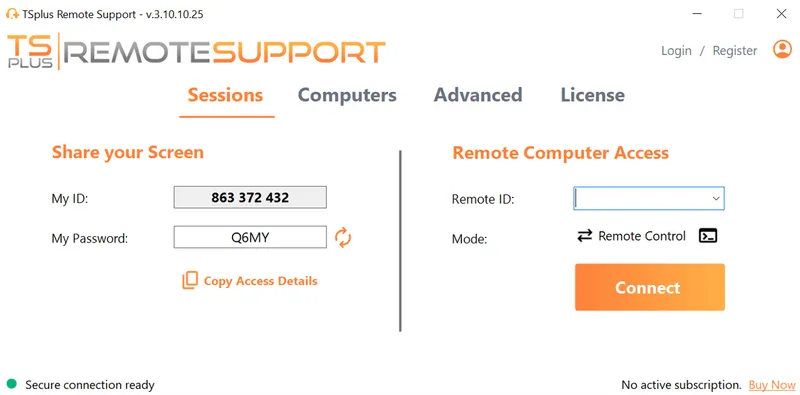
Feature presence alone does not define the category. TSplus Remote Support , for example, supports multi-monitor attended and unattended access. Technicians can also open a command prompt on unattended computers, while computer information features provide hardware, operating system and software details about remote devices. TSplus Server Monitoring on the other hand enables farm and network surveillance, so agents can set thresholds for the alerts they wish to receive about their servers and websites. A different set of standard RMM features.
Features brought together under wider scope
The underlying purpose of a full-blown RMM remains different. A tool with remote support capabilities will help a technician investigate or work on selected computers. A monitoring tool will watch chosen devices, their performance etc. Such capacities do not in themselves continuously manage policies, patches and automated remediation across an endpoint farm.
The purpose of the RMM encompasses other sets of actions which do not exist in individual tools.
Can Remote Support Replace RMM?
Sometimes, but only for a part of the RMM workflow that your organization actually identifies.
TSplus Remote Support can replace the remote-control or technician-intervention portion of an RMM workflow. That may suffice for all the remote administration used by certain organisations or departments, all the more when monitoring, patching, software deployment and endpoint policies are already handled elsewhere.
Nevertheless, an organization requiring continuous endpoint telemetry, fleet-wide patch orchestration, automated remediation and centralised policy-driven maintenance has undeniable requirements belonging in the RMM category.
When Is Remote Support and Assistance Enough?
Remote IT assistance is sufficient when IT work starts with a user, ticket or identified maintenance task rather than with continuous fleet monitoring. The direction of the workflow is the instigator here.
A help-desk technician, administrator or support provider may:
- see the user's screen,
- take control,
- transfer files or
- troubleshoot an application
- remotely access an office PC after hours
- or perform maintenance on a known machine;
- or they may assist customer systems without having the responsibility for the customer's entire endpoint lifecycle.
Remote support software fits particularly well when the organisation already has another endpoint-management layer. Microsoft Intune , for example, inventories enrolled devices, executes remote actions and scripts, applies management policies and provides device health and compliance reporting.
In that environment, adding a separate full RMM platform risks duplicating capabilities which are already available. A focused remote support layer may fill the remaining technician-intervention requirement more directly.
When Do You Certainly Need RMM?
Remote monitoring and management comes into its own either when individual intervention stops scaling or when the impetus needs to come from the system or those maintaining it rather than the user.
Combined fields of capability
Modern RMM platforms commonly combine endpoint monitoring, alerting, patch management, software deployment, scripting and automated remediation. NinjaOne defines RMM along those lines, around centralised endpoint visibility, automation, patch management and proactive issue resolution.
Operational focus
The strongest indicators that an IT team needs RMM are therefore operational rather than purely numerical. An organization may need to maintain patch compliance across many computers, identify low disk space or failed services before users report them, execute scripts across device groups, inventory software centrally or automate recurring remediation.
MSP and services provider matters
MSPs are a particularly clear example. A provider managing many customer estates may need ongoing visibility and repeatable maintenance processes across thousands of systems. Remote support remains useful when a technician needs to intervene directly, but it does not replace the monitoring and automation layer that makes large-scale management practical.
Do You Need Remote Support, RMM or Both?
A practical decision method is to map the required capabilities before choosing a software category.
| Requirement | Remote Support Software | Remote Monitoring & Management |
|---|---|---|
| Live troubleshooting with a user | Core use case | Often available |
| Attended remote screen control | Core use case | Potentially available |
| Unattended device access | Often available | Common |
| Remote command-line input | Potentially available | Common |
| Continuous endpoint monitoring | Usually not | Core use case |
| Fleet-wide patch management | Usually not | Common |
| Automated remediation | Limited or task-based | Core use case |
| Policy-driven endpoint maintenance | Usually not | Common |
| Central fleet reporting | Support-focused or limited | Common |
These boundaries vary between individual products, but the distinctions in purpose remain useful.
Some IT teams genuinely need both categories. Others already have monitoring, patching or endpoint-management capabilities via other sources or products and therefore only need a strong remote support layer. The goal here is to identify the necessary workflow instead of buying overlapping platforms because of how their feature lists appear similar or differ.
Which Approach Fits Your IT Environment?
Business size matters, but it should not decide the architecture by itself. Team structure, endpoint ownership, existing management platforms and the balance between user support and proactive maintenance are generally more meaningful.
Varied infrastructures, varied answers
| IT environment | Likely fit | Why |
|---|---|---|
| Small business with outsourced or occasional IT | Remote support | Work usually begins with a specific user issue or maintenance request |
| Small internal IT team managing dozens or hundreds of PCs | Remote support or hybrid stack | Depends on whether monitoring, patching and endpoint policy are already covered |
| Help desk supporting employees or customers | Remote support | Technician-user interaction and troubleshooting are the primary workflows |
| MSP managing multiple customer estates | RMM plus remote support | Monitoring and automation complement direct technician intervention |
| Mid-sized enterprise already using Intune or UEM | Remote support alongside existing management | Policy, inventory, scripting and compliance functions may already exist |
| Large distributed estate with proactive operations requirements | RMM plus support capabilities | Fleet-wide monitoring, automation and reporting become central |
Varied needs, varied solutions
A small IT team should therefore not assume that RMM is automatically excessive. A smaller MSP with substantial responsibility for customer endpoints may benefit heavily from relying on RMM or UEM (Endpoint management system) automation.
The reverse is equally important. A larger organization with Microsoft Intune, another UEM platform or established patch-management and monitoring tools may have little reason to reproduce those functions in another RMM platform. They may well find TSplus Remote Support or a similar tool will suffice and make their work simple.
A modular TSplus setup can also address more specific requirements. TSplus Server Monitoring provides real-time server performance monitoring, website monitoring, alerts and reporting, while TSplus Remote Support provides the technician-intervention layer. TSplus Server Monitoring can, for example, alert on processor, memory, disk, network and downtime thresholds.
Not a complete RMM replacement, such a combination illustrates why teams should evaluate the actual capabilities they need rather than assume they require a single all-encompassing platform.
Where Does TSplus Remote Support Fit?
Rather than a complete endpoint-management platform, TSplus Remote Support is designed for IT teams, help desks, MSPs and support providers who need to carry out focused remote assistance, unattended maintenance or remote training.
TSplus Remote Support enables attended and unattended access, multi-monitor screen control, command-line intervention and more for technicians working on remote systems. The product is therefore particularly relevant when the requirement is to diagnose, assist and maintain devices directly , or when monitoring and endpoint management are already handled elsewhere.
For organizations primarily concerned with effective technician intervention, buying that entire remote monitoring and management layer may add functionality and complexity they do not actually need.
Conclusion
Remote support and RMM overlap in part, but they start from different operational needs. Remote support is centred on technician intervention on a grass roots level, while RMM is centred on continuous estate management and automation from an eagle-eye view.
Before adding another platform, map what your existing IT stack already provides. The right answer may be TSplus Remote Support, stand-alone, a full RMM, or both, or it may be TSplus Remote Support in tandem with TSplus Server Monitoring, but the decision should follow your workflows rather than a category name.
TSplus Remote Support Free Trial
Cost-effective Attended and Unattended Remote Assistance from/to macOS and Windows PCs.
)
)
)
