








:quality(80)/m/filters:format(webp))
:quality(80)/m/filters:format(webp))
Introduction
Free remote access software can be an attractive option for reducing IT expenditure, especially when requirements are limited and internal expertise is available. However, a zero-cost licence does not necessarily mean a zero-cost service. This article examines the different meanings of “free,” the operational costs that sit around remote access software and how IT teams can evaluate total cost realistically.
What Does It Mean To Have A “Free” Remote Access Software?
Free remote access software covers a wide range of products. The term “free” incorporates a variety of licensing, deployment and support options.
Before comparing prices, IT teams should determine what exactly constitutes a free solution.
The phrase “remote access” covers a range of different platforms. A free remote support tool that allows for occasional access to systems is not the same as an end-user solution for centralised Windows access and applications.
IT teams should identify what they need to access before looking at costs. Remote support, workstation access and multi-user applications or desktops require different infrastructure options and management tools. A particular solution may be free of charge for one purpose but incompatible for another.
| Free model | What is free? | What may still cost money or time? |
|---|---|---|
| Free for personal use | Private, non-commercial connections | Commercial licence when used for work |
| Freemium | Core connection functionality | Advanced management, users, devices or business features |
| Open source | Software licence and often source-code access | Hosting, deployment, maintenance and support |
| Built-in operating system tools | Client or OS functionality | Server infrastructure, networking and additional licensing |
| Self-hosted free software | Core server or remote access application | Hosting, certificates, backups, updates and administration |
These differences are significant because free of charge can never mean free for commercial use, free to deploy or even free to operate.
A commercial vendor can offer a free version for personal use but charge for a licence if the software is used to access a corporate network or provide customer support. An open source foundation may allow business use of its product without a software licence but require the organisation to host and maintain the platform itself.
The cost in both instances is shifted to a different component. It can either become an operational cost or a capital investment.
What Are The Actual Costs of A Free Remote Access Software?
A useful approach to assessing the value of remote access solutions is to consider costs beyond the software acquisition price.
It can be summarised in this simple formula:
Real cost = software + IT labour + infrastructure + security + management + support + downtime + migration
Depending on the option chosen, some of these categories can turn out to be surprisingly inexpensive. In the case of a “free” solution, saving on the software license can eat into the budget for infrastructure and IT operations. The point is not to attempt to prove that free software is not cheap.
Instead, the focus is on understanding what is being acquired at no cost and what will still have to be provided by the company incurring expenses.
Does the Free License Cover Your Business Use?
The first consideration when analyzing costs is licensing, as “free” might describe permissible usage rather than price.
Some variants of remote access products offer a free edition for private or non-commercial use only. Workplace connections, customer support or managed IT services may not qualify.
A technically appropriate solution may therefore be commercially inappropriate for the intended use case.
This is important, as identifying the restriction after adoption may incur unplanned costs. The organization may be obliged to purchase commercial licenses, replace the software, reconfigure endpoints or train staff to use an alternative.
Instead of asking:
Can we use this without paying?
IT teams should ask:
“Are we entitled to use this software for this specific business purpose without paying?”
This question should be asked before deployment.
How Much Administrator Time Does “Free” Consume?
Administrator time is frequently the largest expenditure that will not show up on a software invoice.
A remote connection may be straightforward, but there are endpoint installations, user provisioning, firewall rules, certificate chains, patching, access control, troubleshooting, documentation and monitoring to be performed for a remote access service to run effectively.
An experienced IT department with automation already in place may have to put in very little effort to accommodate these tasks. Thus, a self-hosted or open-source solution can still be incredibly cost-effective.
There is a different calculation for a lean IT department. If administrators spend hours every week configuring endpoints, maintaining infrastructure or troubleshooting issues that the software could handle automatically, it may be more expensive than the licence fees.
The metric that matters is not the number of features offered for free.
It is the amount of IT work needed to support the required service.
What Infrastructure Does the Software Require?
The same applies to free remote access software, which can still require infrastructure that is not free.
Depending on the architecture, remote access can include servers, gateways, VPNs, relay services, certificates, DNS configuration, firewall rules or backup systems.
Microsoft Remote Desktop Services is a good example. While having an RDP client does not automatically give you a complete multi-user Windows Server remote access environment. A Remote Desktop Services deployment requires server-side infrastructure and appropriate licensing beyond just the client-side application.
The same goes for self-hosted remote access platforms. The application itself can be free while the underlying server resources, networking and engineering infrastructure provided by the organization count as separate costs.
The presence of existing infrastructure is a determining factor.
If the required servers, networking and expertise are already in place, the incremental infrastructure cost can be insignificant. If they have to be procured specifically for remote access, then they should be included in the budget.
Who Pays for Security and Access Control?
Security is another area where the use of “free” could imply that responsibility remains with IT.
Remote access creates an entry point into the environment where applications, credentials and business data reside. The controls around that entry point become part of the operating cost.
That’s not to say that a free remote access software isn’t inherently more secure. Free, open-source and commercial platforms can all be implemented securely or insecurely.
What matters is who owns and maintains controls such as:
- authentication and authorization
- multi-factor authentication where required
- patching and security updates
- unattended access permissions
- user and device access restrictions
- session and security logging
- Internet-facing infrastructure protection
- removal of access when users or technicians leave
If a free platform already satisfies the organisation's requirements, the additional cost may be negligible.
If IT has to implement several complementary controls around the software, however, the effort spent configuring, maintaining and monitoring them becomes part of what “free” costs.
Why Does the Cost of Free Software Change as You Scale?
The economics of the free remote access capabilities are heavily dependent on the scale.
Setting up five computers manually might take an hour, while doing the same for 500 endpoints is an operation of a different complexity level.
As the deployments grow, their management starts to require more and more advanced capabilities, such as centralised user administration, groups, granular permissions, endpoints inventory, unattended access and its management, session logging, policy and its enforcement, and automatic deployment.
More advanced and comprehensive platforms will feature those operations, while the freeware versions typically do not.
Not necessarily, the paid edition is always a better choice, but when comparing the cost of the management capabilities and the equivalent hours of manual work, the breakeven point rarely justifies the free edition.
If the administrators can manage the environment efficiently with the means provided by the free edition, it would still be a viable option even at the significant scale.
On the other hand, if the IT team ends up manually performing the management functions because the free edition does not support them, the lack of the license would not offset the hours of the manual work involved.
Is it possible for several free Remote Access tools to cost more than one platform?
Another cost factor emerges when organizations address each remote access need with a different free tool.
The IT environment might include an agent for employee access, one for attended helpdesk sessions, native RDP for servers, a VPN for external connections and an open-source utility for unattended endpoints.
While each tool may seem like a low-cost option on its own, the combination requires teams to support multiple platforms and learn their unique authentication methods, update policies, endpoint configurations, access control rules, logging locations and troubleshooting utilities.
Technicians should also receive training on which tools apply to which systems and use cases.
The overall cost is therefore not found in the sum of the licensing fees.
It emerges in the operational cost of supporting a fragmented remote access infrastructure.
This is why consolidation makes financial sense even when the tools that are decommissioned do not carry any licence fees.
If Someone Goes Wrong, What Are The True Costs of a Free Remote Access Software?
Support is hard to value when everything is working.
When your remote access product fails, though, support becomes part of the cost equation.
An individual remote connection that stops working may be a minor inconvenience. The failure of a remote access environment that your staff uses to access business applications will halt operations.
A free and open source product may have excellent documentation and a thriving community of developers. For a technically proficient team, forums, issue queues and in-house expertise may be enough to solve most problems that arise.
Other companies may require more immediate access to vendor support or a specific escalation path.
The debate is not about whether community support or commercial support is better.
The question is:
Who can identify and resolve the problem, and what does the business lose during the time it takes?
As remote access becomes more embedded in the fabric of business operations, the need for reliable support and recovery becomes more valuable.
How Should IT Teams Calculate the Real Cost?
A comparative can be made beginning with the remote access requirement and not the product catalogue.
First, define who needs to access, what systems they need to access, if sessions are attended/unattended and how critical the service is to their operations.
Compare the solutions with the cost factors applicable in the environment.
| Question | Why it changes the real cost |
|---|---|
| Is commercial use permitted? | Prevents unexpected licensing or migration |
| How many users and endpoints are involved? | Determines whether manual management remains practical |
| What infrastructure is required? | Adds hosting, networking and maintenance |
| Who installs and updates the software? | Consumes administrator time |
| Is centralized management available? | Affects operational effort at scale |
| Are access controls and logs sufficient? | Changes security and compliance workload |
| Who provides support? | Determines the internal troubleshooting burden |
| What happens during an outage? | Adds the business cost of downtime |
| Will requirements grow? | Affects future migration risk |
| Does the software solve the correct use case? | Prevents investment in the wrong architecture |
IT teams don't have to assign a financial value to every minute of work.
The point is to find costs that are significant enough to influence the choice.
A free product that takes two hours a year to administer won't cause any serious concerns. Something that requires several hours of work each week should be compared to other options that can cut down on the burden.
In Which Cases A Free Remote Access Software Is Actually Cost-Effective?
Free remote access software can be very economical if the operation model aligns with the end user’s needs. If there are few endpoints or infrequent connections, if commercial use is allowed, and if existing infrastructure already accommodates most of the networking demands, such a solution could be very appealing.
The software that is free of charge and open-source can be very economical if the company’s IT department can handle all the operations, updates, security, and troubleshooting associated with it. If the company values self-hosting and control over endpoints, having to invest extra resources into maintaining such software might not be a concern.
However, the breakeven point between free and paid software is not easily defined by the number of users or endpoints. The more operations, troubleshooting, and management such solutions require, the more their value proposition is compromised. If additional infrastructure has to be deployed to support the application, or it requires extra maintenance beyond basic technical support, or if there are several such applications to manage, the economics favour a commercial solution.
Finally, the number of users or endpoints does not define the threshold beyond which a free remote access software stops being valuable. It is not a per-user or per-endpoint cost calculation. Depending on the complexity of the infrastructure, the scale of operations, administrative burden, and availability of support, a commercial software license might become more economical even with a relatively small user base.
Looking for a cost-effective business remote access platform?
When the requirement is ongoing access to centralised Windows applications and desktops rather than occasional remote control, it can be useful to compare free tools against a platform designed specifically for that workload.
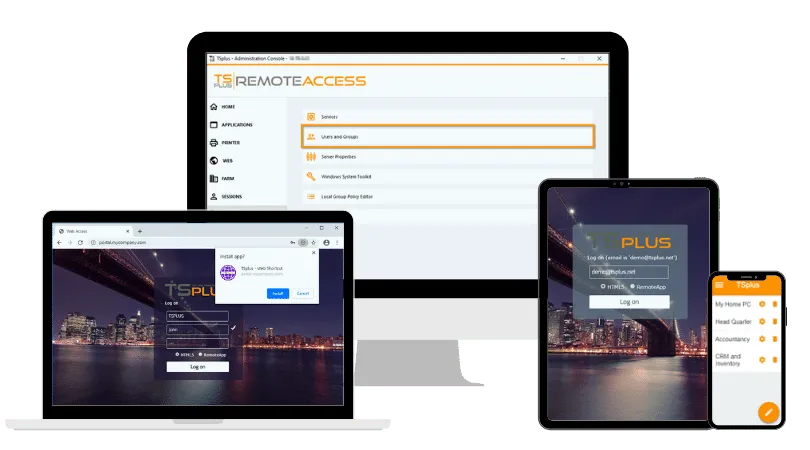
TSplus Remote Access provides Windows application publishing, full remote desktops and HTML5 browser access for multi-user business environments. Instead of comparing license price alone, IT teams can compare the platform with the combined cost of the infrastructure, administration and separate tools needed to deliver the same service.
Conclusion
Free remote access software can be genuinely cost-effective when licensing, infrastructure and administration requirements remain modest. The key is to evaluate the full operating model rather than judge a solution by license price alone.
As management, security, support or infrastructure demands increase, the economics may shift. At that point, comparing free and commercial options by total cost gives IT teams a more meaningful basis for decision-making.
TSplus Remote Access Free Trial
Ultimate Citrix/RDS alternative for desktop/app access. Secure, cost-effective, on-premises/cloud
:quality(80)/m/filters:format(webp))
:quality(80)/m/filters:format(webp))
:quality(80)/m/filters:format(webp))
