








)
)
AI agent security becomes critical when autonomous software can access business applications, retrieve sensitive data and perform actions without continuous human involvement. For IT teams, the challenge is to establish what identity, access and scope to give them to combine efficiency and protection.
As organisations introduce AI agents into everyday workflows, sysadmins and security managers must extend access policies beyond human users and traditional service accounts. This guide explains how to manage non-human identities, apply least privilege and protect both modern and legacy applications. I provide practical measures for systems admins, IT teams and MSPs working to adopt AI while minimising exposure.
Why Does AI Agent Access Create New Security Problems?
Traditional access management generally distinguishes human users from applications and services. AI agents complicate this model because they can interpret information, select tools and initiate operations based on changing circumstances.
Automation, but not as we know it:
Unlike conventional automation, where actions are typically predefined, an AI agent may determine which steps to take while working toward a broader objective. The variables this introduces have a long reach, since whether by mistake, lack of reference or malicious instruction, AI might readily overstep permissions causing unwanted results. For IT teams, the initial action is to define an AI agent's purpose and enforceable limits before granting production access.
From reading business data to acting on it:
Consider an AI agent deployed to retrieve invoice records, compare payment information and produce an exception report. What restrictions and safeguards can be put in place to prevent incorrect action within the accounting application?
Authentication does not equal authorisation:
While authentication establishes which identity is attempting to access a resource, authorization determines which operations said identity may perform. For AI agents, these decisions must remain separate.
A successfully authenticated agent should still only receive the authorizations relevant to its task, necessary resources and restricted by the potential consequences of the action.
In its 2026 work on software and AI agent identity , NIST highlights the need to address identity, authority, auditing and accountability for AI agents.
The security objective is not just to decide which applications an agent can open. IT need to control what the agent can do once access has been granted.
What Identity Should an AI Agent Use?
AI agents need identifiable, manageable identities so administrators can assign permissions, monitor activity and revoke access when necessary.
Dedicated identities and workload credentials
Where supported, create a workload or agent identity, tied to a named owner and a specific function, to track accountability and lock privileges to the task required.
In addition, it helps distinguish automated activity from human activity, apply dedicated security policies and disable the agent without affecting an employee's access, such as in Microsoft Entra Agent ID. Aim to keep AI agents narrowly scoped, well documented and independently auditable.
Delegated access versus autonomous access
AI agents can operate under different authorization models.
Delegated access allows an agent to act on behalf of a human user, within strict permissions explicitly delegated to it, potentially only for a set time.
Autonomous access allows an agent to operate through its own identity and assigned permissions, without requiring an active human session. Importantly, access policies and lifecycle controls must thus be set for autonomous AI agents as well as ownership.
A note on MFA
Shared accounts make it difficult to determine where an action originated: from an employee, an AI agent or another automated process. An AI agent should not depend on an employee's credentials, especially not for routine automation.
While multi-factor authentication (MFA) is valuable for human access, autonomous need supported workload identity mechanisms. Some examples, according to application and identity infrastructure:
- managed identities,
- federated credentials,
- certificates
- or short-lived tokens.
How Should IT Restrict What AI Agents Can Access?
Here, least privilege is essential, to give access only to the resources and operations required for an approved purpose.
Least privilege across applications, tools and data
- Tool permissions: Which APIs, scripts, integrations and execution tools can the agent invoke?
- Application permissions : Which business applications and functions can it access?
- Data permissions: Which records, folders, files or databases can it read? Can it modify?
- System permissions: Can it execute commands, access the operating system or perform administrative operations?
AI agent access should be considered on these levels, and no permission should be extended on mere request. These layers should also reinforce one another.
Application permissions must also remain enforceable independently of the AI model's settings. A prompt telling an agent not to modify payment details is not equivalent to a technical control preventing the modification.
For organizations strengthening existing access infrastructure, our Zero Trust principles for SMB remote access broach identity verification, least privilege and restricting exposure.
Time-limited access and sensitive operations
Permissions should reflect not only what an agent needs, but also when and why access is required. Time-limited authorization can reduce exposure between approved tasks, as can additional controls. You might enforce certain actions through the identity provider, tool gateway, application or another trusted policy mechanism rather than relying on AI only.
How Does AI Agent Security Differ Across Business Applications?
Not every application provides the same mechanisms for controlling AI access. IT teams need to adapt access controls to their environment and requirements.
SaaS applications and APIs
Modern SaaS applications often provide APIs that support scoped access tokens, application roles and delegated permissions.
Though they can make agent authorization more precise, API permissions can still be excessively broad, so administrators should review scope, restrict access and regularly purge permissions.
Browser-based business applications
Browser-based applications introduce different challenges with graphical interface interaction.
Organizations should use dedicated accounts, tightly restrict available applications and enforce authorization within the business software itself. Our article on secure browser access to private applications explains how application assignment, authentication and server-side controls can reduce unnecessary exposure.
Legacy Windows applications and remote desktops
Legacy Windows applications present a particular challenge because their access controls have generally been designed around human users rather than autonomous processes.
Access
Nevertheless, access and execution technology will remain separate, whatever the business roles, permissions, the Windows accounts, directory groups or broader application-level access. The type of graphical access remains an admin decision and our article on AI agents and legacy Windows applications explores the technical and architectural implications of different execution environments.
Security
For security matters, access and permission cannot be mixed. Publishing a specific Windows application means reducing the exposure of a full, but this is only the start of a wider access control strategy. Your admin work is cut out:
| Access mechanism | Principal security controls | Main concern |
|---|---|---|
| SaaS API | OAuth scopes, tokens, API roles | Overbroad permissions, token misuse |
| Browser application | Sessions, application roles | Unauthorized actions in a valid session |
| Published Windows application | Windows identity, app assignment, permissions | Access beyond the intended task |
| Full remote desktop | OS rights, session restrictions, hardening | Broader system exposure and lateral movement |
Which Cybersecurity Risks Need Additional Controls?
AI agents can encounter malicious instructions in support tickets, webpages, documents or tool responses. This prompt injection can redirect an agent away from its legitimate task, even when the attacker cannot sign in directly. The OWASP Top 10 for Agentic Applications 2026 outlines relevant threats.
Other risks include credentials exposed in prompts or logs, unauthorized tool use, privilege escalation and sensitive data sent to unintended destinations. Multi-agent workflows add another concern: delegated tasks must not automatically carry unrestricted access from one agent to another.
To avoid data exfiltration and the like, treat external content as untrusted, protect secrets through supported credential services, limit outbound connections and enforce permissions independently of the AI model. Sensitive operations need controls at the application or tool level, not just interpretable instructions telling an agent to behave safely.
How Can IT Monitor, Revoke and Audit AI Agent Access?
Access governance is incomplete if administrators cannot determine what an agent has done or stop it when its behaviour becomes unexpected.
Tracking identities, decisions and actions
A useful audit record: agent's identity + responsible owner + requested operation + approval + tool invocation + resulting action + outcome.
Depending on the tools involved, records will vary. No single source tells the whole story so a combination of authentication events, access token issuance, API calls, application activity, approvals, file modifications and session activity is necessary as evidence. For example, combine an identity log with session recording, correlating records where feasible.
In addition, protect sensitive information wherever possible. For instance if you are an MSP, separate audit records by customer to preserve their data.
Revoking access and responding to incidents
Predefine a shutdown procedure per AI agent deployment, before production.
Depending on the environment, this may require disabling an AI agent’s identity, revoking credentials, rotating secrets, terminating active sessions and stopping scheduled jobs. Once finished, assess previously issued tokens or established sessions: revoking one credential is not always sufficient to stop an already active process.
You can include the following in a practical “misbehaviour” response procedure:
- contain access,
- preserve logs,
- investigate changes,
- replace credential
- and validate the unauthorised incident has ended.
What Is a Practical AI Agent Security Checklist for IT Teams?
Why not approach AI agent security incrementally? Begin with a narrow, preferably read-only workflow, then expand only after validating controls. Before giving an agent production access:
- Identify ownership. Document its purpose, operator/owner, execution environment, tools and data flows.
- Assign a distinct identity. Avoid shared human credentials. Establish separate accountability.
- Map and limit permitted resources. Specify applications, records, data, systems, API permissions required, timespans.
- Restrict sensitive actions. Define approval requirements and prohibit high-impact changes and unnecessary privileges.
- Protect credentials. Use supported workload authentication and managed secrets.
- Validate the execution environment. Review session isolation, network access and relevant Windows security settings.
- Enable evidence and recovery: keep records of authentication, tool execution, application activity and significant changes.
- Test failure scenarios: confirm access can be revoked, sessions terminated and unexpected activity investigated.
For example, an MSP could pilot an agent to read selected ERP invoice records and prepare a report, without granting it permission to edit financial data. Only proven reliability and enforceable permissions should justify broader authority.
How Can TSplus Help Secure Windows Application Access?
For organisations operating Windows-based business software, the underlying remote access infrastructure is also part of such a security process. TSplus application delivery and server protection capabilities help sys admins control access to centrally hosted Windows applications.
TSplus Remote Access: Application Delivery and Assignment
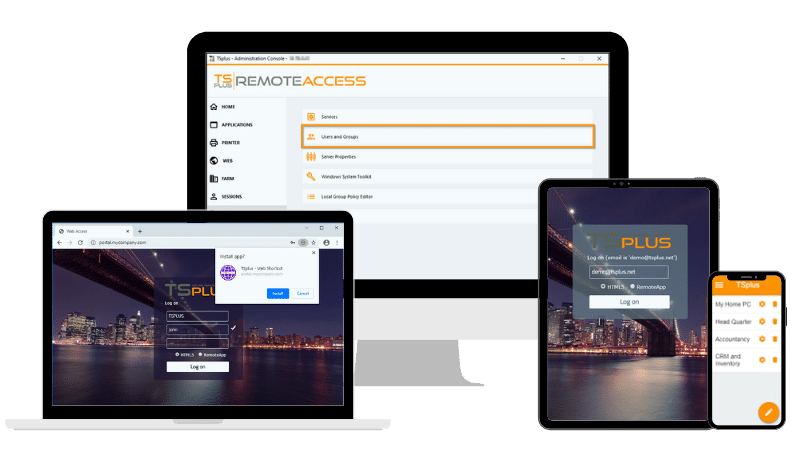
TSplus Remote Access publishes and assigns Windows applications, making them available through remote connections, including web-based access. Providing an assigned application rather than an entire desktop can participate in reducing unnecessary interface exposure within such AI workflows, especially those involving existing and legacy business software.
TSplus Advanced Security: Protecting Windows Servers and Sessions
TSplus Advanced Security adds Windows server and session protections through brute-force protection, geographic restrictions, working-hour controls, permissions management, ransomware protection, alerts and security event logs.
These controls can reduce exposure around the application host, thus complementing the dedicated identity, authorisation and runtime safeguards required for AI agents.
Together, the relevant TSplus capabilities support a practical principle: maintain controlled access to business applications and protect the Windows environment behind them, while leaving admins the leeway for introducing AI-specific security controls and orchestration where the new workloads require them.
Conclusion
AI agent security begins with a simple distinction: having permission to access an application does not mean having authority to perform every action within it, if any.
For sysadmins and MSPs, making AI manageable means combining clearly identified AI agents, narrowly scoped tasks, enforceable permissions, protected execution environments and reliable audit trails. Such steps allow organisations to explore AI automation without unnecessarily expanding their attack surface.
TSplus Remote Access Free Trial
Ultimate Citrix/RDS alternative for desktop/app access. Secure, cost-effective, on-premises/cloud
Frequently Asked Questions
What is a non-human identity in AI agent security?
A non-human identity identifies software, an automated workload or an AI agent rather than a person. It allows admins to authenticate the workload, assign permissions and track its activity. Dedicated agent identities can improve accountability compared with shared human accounts.
How is an AI agent identity different from a service account?
Traditional service accounts generally support predefined applications and automated processes. AI agent identities may need additional lifecycle, delegation and authorisation controls because agents can independently choose actions. The available identity mechanisms depend on the platform and application environment.
Can AI agents securely access legacy Windows applications?
Yes, provided suitable execution technology and access controls are available. Organisations must restrict the Windows account, application permissions and remote session. Publishing an individual application can reduce exposure, but does not replace operating system security or application-level authorisation.
What security controls are needed when AI agents troubleshoot remote devices?
Remote troubleshooting agents need restricted execution permissions, authorisation for sensitive actions, logging and reliable stop conditions. Our companion guide on AI agents in IT support explains how to supervise automated remediation, verify results and escalate unsuccessful interventions.
How can IT administrators revoke an AI agent's access?
Administrators should disable the agent's identity, revoke applicable tokens and credentials, terminate active sessions and stop associated processes or scheduled tasks. They should then verify that access has ended and investigate any unauthorised activity.
)
)
)
