









:quality(80)/m/filters:format(webp))
:quality(80)/m/filters:format(webp))
Browser-based remote access and Virtual Private Networks solve different access issues. HTML5 access is often a practical fit when users need specific business applications or desktops, while a VPN remains useful when an endpoint requires direct connectivity to internal systems, services or protocols. For many businesses, the better option depends on what users need to reach, which endpoints they use and how much network access the organization is prepared to grant.
Should browser access replace every VPN connection? Do users who need only one or two business applications still require a network tunnel at all. Can certain tasks be performed securely over a given connection type? Remote work has made VPNs a potential default for connecting users to internal resources. Yet many employees, contractors and partners do not actually need network access but may only need an accounting package, ERP platform, CRM or other.
For sysadmins, the question is broader than which access method is better. Read on to find out how it extends to matters like what each user needs to reach, from which endpoint, and how much connectivity the business should expose to make that possible.
What are the main purposes of Browser-Based Remote Access and VPNs?
A direct comparison only makes sense once the two architectures are clearly defined. Browser-based remote access provides a session to applications or desktops hosted elsewhere. A VPN provides connectivity from an endpoint to permitted resources located behind a private network boundary.
Browser Access Delivers Applications and Desktops
With browser-based remote access, the business application runs on a remote Windows host rather than on the user’s device. An HTML5 portal carries display updates, keyboard input and mouse actions between the browser and the remote session. The user may see one published application, a selection of applications or a complete remote desktop. The endpoint does not necessarily receive any direct connectivity to the internal systems used by those applications.
A VPN Provides Network Connectivity
A VPN establishes an encrypted tunnel between an authorized endpoint and a VPN gateway. Routing, firewall rules and access policies then determine which internal networks, servers and services the endpoint can reach.
This model is useful when locally installed applications need to communicate directly with file servers, databases, APIs, management interfaces or other internal services. However, it can be broader than required when a user only needs access to a single centrally hosted business application.
Quick Comparison of Browser Access and VPNs
For business applications, the central distinction is therefore not browser versus client. Teams need to compare the required access scope and aspects, such as where the apps are executed, rather than treating the technologies as direct substitutes.
Criterion | Browser-Based Remote Access | VPN |
Primary purpose | Deliver a published application or desktop | Connect an endpoint to permitted network resources |
Endpoint requirement | a compatible browser | VPN client or operating system configuration |
Application execution | On the remote host | Often on the endpoint |
Network reach | Usually limited to the remote session | Determined by routing and access policies |
Data handling | Business data can remain on the host | Data may pass between internal systems and the endpoint |
Typical users | Employees, contractors and partners needing defined apps | Users needing direct access to several services, protocols or admin tools |
Peripheral support | Depends on HTML5 redirection capabilities | Depends on the local application and tunnel |
Best deployment model | App-focused access | Network-focused access |
Neither model is universally better. The required workflow should determine how much access is actually necessary, pinpointing apps and desktops or broader network connectivity.
How Does Browser Access Fit Specific App Requirements?
Browser-based remote access works best when users require only specific apps. A finance employee may need an accounting package, a warehouse operator: inventory software and an external partner: a single legacy Windows application. None of these cases automatically requires access to the surrounding network.
Centralized Windows Business Applications
Application publishing keeps the apps on a centrally managed Windows host. IT teams can maintain the application in one environment and make it available to authorized users without installing the full application stack on every device. Updates, controls and availability to authorized users are the remit of admins alone and the full software stack is far removed from endpoints.
Great for enterprise resource planning (ERP), customer relationship management (CRM), accounting, administration and other line-of-business applications, this approach also helps with legacy products. It is particularly useful for older Windows software which remains operationally important for a business but was never designed as a web application.
BYOD, Contractor and Temporary Access
Browser access can also simplify access from personal, temporary or externally managed devices. Users generally simply need a compatible browser, erasing the requirement for IT to distribute and maintain the VPN client for every endpoint.
Nonetheless, unmanaged devices are not inherently trusted. Organizations still need strong authentication, secure portal configuration, appropriate session restrictions and a clear policy for downloads, printing, clipboard use and file transfer.
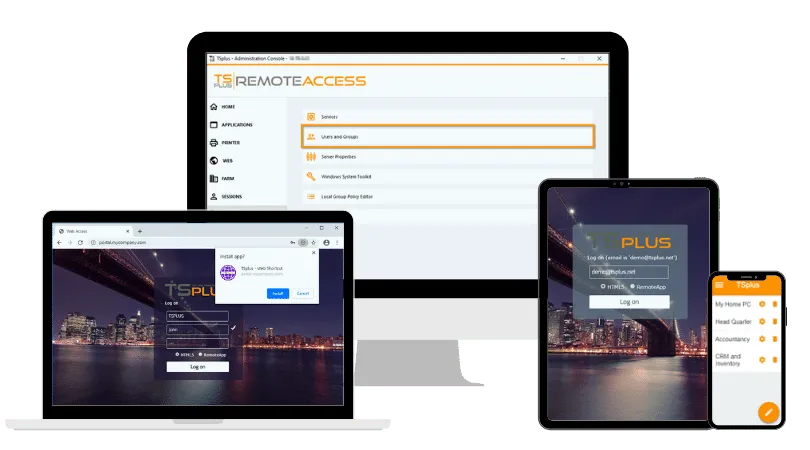
TSplus Remote Access Free Trial
Ultimate Citrix/RDS alternative for desktop/app access. Secure, cost-effective, on-premises/cloud
How Do VPNs Still Fit Broad Network Requirements?
A VPN remains appropriate when the endpoint itself must communicate directly with internal systems. The key question is from where the connectivity must originate.
Workflows Requiring Direct Endpoint Access to Internal Services
Some workflows depend on installed apps connecting directly to file shares, internal websites, database connections, APIs or other internal services. Delivering remote application or desktop access may not reproduce the complete workflow.
A properly restricted VPN can provide the required connectivity while allowing administrators to control routes, authentication methods and permitted traffic. A full remote desktop can also provide access to multiple services depending on set routing and access controls.
Administrative and Specialized Workloads needing Network-Level Connectivity
A business’ administrative work can also be delivered from a centralized remote desktop. Sysadmins, developers and infrastructure teams may need Secure Shell, management consoles, monitoring platforms or access to several systems during one task.
A VPN becomes more relevant when administrators need locally installed tools to directly reach changing network targets, rely on protocols unsuitable for a remote session or require non-centralized integrations. Even then, broad access should not be the default. Privileged VPN connections should be segmented, monitored and limited to the systems required by each administrative role.
Why Should Business Needs Drive the Access Model?
For businesses, choosing should stem from how people actually use applications. Employees using a small set of centrally hosted Windows applications have different requirements from infrastructure admins or developers needing direct connectivity to multiple internal systems.
Browser-based access can be particularly practical for contractors, branch offices, hybrid workers and BYOD environments. Indeed, IT can provide access to defined applications without extending the equivalent network connectivity to every endpoint or session. It can also simplify application deployment, with software remaining centralized and installs, updates and troubleshooting deployed across numerous devices.
A VPN retains its use when business workflows depend on locally installed applications, specific internal services or direct cross-network communication. The objective is therefore not to remove VPNs at any cost. Access methods rather need matching to user and groups, thus avoiding granting over-estimated permissions.
Security Depends on Access Scope and Controls
Once the required business access has been defined, security depends largely on how high or sensitive the connectivity exposed by either model and which security controls surround it. Browser-based remote access can narrow the resources presented to a user, while a VPN can provide broader network reach according to routing, segmentation and access policies. Security differs according to the portal, authentication service, session hosts, application permissions and data-transfer policies.
Network Reach and Potential Lateral Movement
A VPN-connected endpoint may be able to communicate with several internal resources, depending on its routes and access control rules. Unrestricted, that network reach can increase the number of systems exposed to an attacker, should credentials or an endpoint be compromised.
Application publishing can reduce user-facing reach since users enter a controlled remote session instead of joining the internal network. However, the gateway and session hosts remain exposed infrastructure unless appropriately guarded. They require patching, strong authentication, TLS certificates, monitoring, logging and careful configuration.
HTML5 and Zero Trust: Where They Meet and Differ
HTML5 remote access can support certain security goals associated with Zero Trust. By publishing specific applications or desktops through a controlled portal, IT teams can limit what users are allowed to access, which saves providing direct connectivity to a broader internal network. That can reduce unnecessary network exposure as well as making it easier to align access with individual users or roles.
However, HTML5 is an access and delivery method, not a Zero Trust architecture. NIST defines Zero Trust around explicit decisions concerning users, devices and resources rather than trust based on network location. A complete Zero Trust approach would therefore require additional controls such as strong identity verification, device assessment, resource-specific authorization, policy enforcement and monitoring. While the browser session alone does not make an environment Zero Trust, browser-based application access readily forms part of that architecture.
When Do Performance and Peripheral Needs Decide the Outcome?
Where HTML5 Access Works Well
Standard office and line-of-business applications often work well through HTML5 because processing takes place on the remote host. Meanwhile, the endpoint mainly displays the session and transmits user input.
More demanding workflows require testing. Graphics-intensive applications, real-time audio or video, multiple monitors, smart cards, scanners, specialized printers and USB devices may behave quite differently between an HTML5 session and a native app.
Where Browser Delivery Requires Testing
A VPN does not automatically fluidify these workloads. Its purpose: to provide connectivity. Performance remains dependant on application design, bandwidth, latency, endpoint capacity and back-end infrastructure. A correct test: does the complete user workflow remain usable, not merely whether the application opens.
Operations and Cost Follow Different Models
VPN operations involve endpoint clients, certificates, connection profiles, routing, DNS, tunnel policies and gateway availability. Support teams may also need to diagnose and fix conflicts with local networks, operating system updates and security software.
Browser-based remote access reduces some endpoint deployment work, but moves responsibility toward the portal availability, session capacity and application hosts. IT must validate application compatibility, concurrent usage, profile behaviour, licencing, printing and high availability.
Neither model is consistently cheaper. Existing infrastructure, licensing, user numbers, concurrent sessions and support workload amount to the overall cost
A Hybrid Model Often Provides the Best Fit
Most organizations do not have one remote-access requirement across the entire workforce. A practical design could publish defined business applications for employees, contractors and partners while retaining restricted VPN access for administrators and exceptional technical workflows.
This hybrid approach reduces network exposure without forcing all activity through the same access architecture. It also allows IT to review access by user role, endpoint type and required resource rather than preserving a single remote access model for historical reasons.
How Should Sysadmins Test Both Models?
A pilot should use real applications, representative endpoints and complete business workflows. IT teams can evaluate both models in seven stages:
- Inventory the applications, services and protocols required by each role.
- Separate genuine end-point level network requirements from application-only access requirements.
- Test authentication, session launch, reconnection and timeout behaviour.
- Validate printing, clipboard, file transfer and necessary peripherals.
- Measure responsiveness from representative locations and connections.
- Review logs, access scope and the impact of compromised credentials.
- Compare deployment effort, support tickets and ongoing administrator workload.
The final choice should reflect operational evidence. A successful login proves connectivity, but it does not prove that the model supports the user’s full working day.
TSplus Remote Access Delivers Business Apps Through the Browser
TSplus Remote Access software enables you to publish selected Windows applications or complete desktops from centralized Windows infrastructure. Users can connect through an HTML5 Web Portal, while administrators assign published applications to individual users or groups. TSplus Remote Access also supports alternative connection modes when a native client is more suitable for the workload.
This makes TSplus Remote Access a practical option when businesses want to reduce VPN dependency for users who only need defined Windows applications. Our software provides browser-based application and desktop access, rather than a universal replacement for every VPN workflow or a Zero Trust architecture by default. By referring to documentation, adjusting choices and settings, and other such infrastructure management, administrators can obtain solid secure remote access and protect servers with TSplus Advanced Security.
Conclusion
For businesses, the better access model depends first on what each user actually needs to get done. Browser-based remote access fits well when users need defined applications or desktops, while VPN access remains appropriate when workflows require tunnelled network connectivity. Many organizations will benefit from combining both rather than forcing every user through the same access method. A strongest design may therefore combine HTML5 application publishing with tightly restricted VPN access for exceptional roles.
TSplus Remote Access Free Trial
Ultimate Citrix/RDS alternative for desktop/app access. Secure, cost-effective, on-premises/cloud
:quality(80)/m/filters:format(webp))
:quality(80)/m/filters:format(webp))
:quality(80)/m/filters:format(webp))
