








)
)
Introduction
Virtual Desktop Infrastructure (VDI) simplifies centralized desktop management, but its interconnected components can make switching platforms difficult. From proprietary connection brokers to licensing restrictions, these dependencies can restrict IT choices and increase migration complexity. This article examines the causes and risks of VDI vendor lock-in, explains how to reduce them, and outlines practical steps for keeping Windows application delivery flexible
What Is VDI Vendor Lock-In?
VDI vendor lock-in is a situation when an organization becomes extremely reliant on a specific desktop virtualization platform to the point when changing vendors would be extremely challenging, expensive, or disruptive to the company.
VDI components such as hypervisors, connection brokers, desktop images, user profiles, authentication systems, and other management tools are usually combined in VDI environments. However, despite being separate, they may require specific vendor documentation and configuration to successfully interact with each other.
The reason is that, although applications written in Windows language usually work anywhere, desktops built for a specific VDI environment require significant time to reconfigure. Therefore, vendor lock-in is not an insurmountable problem, but it does create substantial obstacles for organizations seeking to switch platforms.
What Are The Causes of A Vendor Lock-In in VDI Environments?
VDI vendor lock-in is rarely caused by one specific technical limitation. It usually results from multiple dependencies on related infrastructure, management tools, licensing, and application configurations.
Proprietary Connection Brokers and Management Tools
Connection brokers are responsible for managing user connections to virtual desktops while management tools are used to provision, place, and maintain desktops and applications. Tools like Citrix Virtual Apps and Desktops, Omnissa Horizon and Azure Virtual Desktop are built using different management infrastructure and configuration techniques.
This implies that when switching from one platform to another, it may be necessary to restructure desktop pools, applications, connections, and automated tools. The applications themselves can be kept the same, however, their implementation will differ depending on the initial software.
Hypervisor and Infrastructure Dependencies
VDI platforms require infrastructure capable of hosting and managing virtual desktops. This may include specific hypervisor, cloud, storage, or provisioning technologies.
The migration process may therefore involve several tasks:
- Converting or rebuilding virtual machine images
- Reconfiguring networking, storage, and resource allocation
- Replacing vendor-specific provisioning tools
- V alidating application compatibility and performance
- Recreating availability and disaster recovery mechanisms
However, the concept of portability does not always extend to the desktop delivery environment. The successful migration of a virtual machine does not ensure that the surrounding delivery environment will function without modification.
Licensing and Contractual Restrictions
VDI implementations typically require several different licenses – for operating systems, virtualization products, user access rights, management tools, and third-party applications.
Vendors differ significantly in terms of bundling or unbundling these technologies, which can make budget planning and transition to new infrastructures more complex.
This is especially important when organizations want to move from one VDI stack to another, for instance, from on-premise to cloud-based solution, because the licensing models for operating systems, user entitlements and infrastructure consumption can change dramatically.
Microsoft Learn website provides an insight into Azure Virtual Desktop licensing and how it applies to different OSes and use cases.
Accordingly, it is essential to analyze the entire licensing stack, including the implications of any contractual obligations, when making the decision, not only the subscription costs.
Application and User Profile Dependencies
Windows applications could have a number of dependencies on the operating system, registry, drivers, location, or other services.
These types of applications are commonly virtualized in VDI environments, with certain aspects of requirements built into master images or incorporated into advanced profile management tools. Some companies build and maintain their own tools and scripts to address their particular application’s needs in relation to the rest of the infrastructure.
In these situations, it becomes extremely challenging to separate applications from their supporting elements, presenting considerable technical debt and making portability extremely difficult.
Even if the application itself is portable, there are still essential elements, such as the installation, configuration, user settings, and data management that will have to be re-established in the new environment. Understanding the distinction between Windows application packaging and application publishing can help IT teams separate software deployment requirements from application delivery dependencies.
What Are the Risks of Having A VDI Vendor Lock-In?
Vendor dependency presents particular difficulties when an organization has to change its infrastructure strategy, adapt to licensing changes or adopt new application delivery technologies.
The principal risks relate to costs, architectural flexibility, and operational continuity.
Rising Infrastructure and Licensing Costs
A tightly coupled VDI environment can make it difficult for an organization to optimize their infrastructure components.
When the licensing terms change or cost of infrastructure rises, it may necessitate a large-scale migration project if they intend to switch providers. This can hurt their negotiating position and ability to optimize costs.
Moreover, providing all applications through a full virtual desktop can incur unnecessary overhead for workloads only requiring one or two windows applications.
Application publishing is by no means cheaper than VDI: the economics of the two approaches will vary depending on the density of workloads, the operating systems needed, the infrastructure footprint and the administration and management requirements.
Reduced Architectural Flexibility
Organizations seeking to adopt a hybrid infrastructure, replace aging servers, switch between hosting providers, or even adopt new delivery technologies may find their options limited by existing vendor-specific dependencies.
A VDI platform that is closely tied to one infrastructure stack may necessitate a complete redesign of applications intended for delivery on other stacks and hosting providers thus slowing down the digital transformation process.
Increased Migration Complexity
VDI vendor transitions are not only about virtual machine migration.
Administrators also need to retain authentication, user profiles, application settings, printing, file access, security policies, and session behavior.
Poor documentation of these dependencies can make the process harder to quantify, test and execute without incident.
Greater Exposure to Vendor Changes
Product discontinuation, new licensing models, support changes, or infrastructure requirements may necessitate a change in deployment strategy.
The greater the reliance on a single deployment platform the higher the potential operational impact of these changes to the business.
Preserving alternative delivery options can mitigate this risk and create greater flexibility as business or technology needs change.
How Can You Reduce The Risks of Having a VDI Vendor Lock-In?
Reducing VDI vendor lock-in requires a set of technical, workload-related, and architectural considerations.
The idea is not to avoid vendors, but rather to allow for platform changes without disrupting all other aspects of application delivery.
1. Audit Existing VDI Dependencies
The first step is to identify what is critical to the delivery of applications and desktops, and what components are dependent upon technology specific to vendors.
A dependency inventory should address the following questions:
| Component | Questions to investigate |
|---|---|
| Connection broker | Can desktop and application assignments be recreated elsewhere? |
| Hypervisor | Can virtual machines and images move to alternative infrastructure? |
| Applications | Do applications require specific images, operating systems or drivers? |
| User profiles | Can settings and data migrate independently? |
| Authentication | Are identity policies tied to proprietary integrations? |
| Licensing | What commitments, access rights and exit costs apply? |
| Automation | Which scripts rely on vendor-specific APIs or tools? |
The inventory must also include application owners, business criticality, recovery requirements, and undocumented customizations.
This classification can help IT managers to understand which dependencies are easily replaced, and which ones require significant redesign.
2. Separate Application Delivery From Desktop Infrastructure
One of the best methods to lessen the need for VDI is to ensure that each application truly requires such an elaborate solution.
While VDI offers virtual desktops, application publishing provides remote access to individual applications without necessarily delivering an entire desktop.
Both methods centralize applications, but in different ways.
| Requirement | Full VDI | Session-Based Application Publishing |
|---|---|---|
| Complete personalized desktop | Well suited | Not the primary purpose |
| Individual Windows applications | Supported | Well suited |
| Dedicated desktop OS isolation | Available | Generally uses shared session hosts |
| Specialized desktop configurations | Often suitable | Depends on compatibility |
| Centralized application management | Supported | Supported |
| Browser-based access | Platform-dependent | Available with compatible solutions |
| Delivery without a full VDI stack | Not generally | Possible |
The difference is architectural, not functional.
Many such VDI systems already allow applications publishing, so allowing applications publishing does not necessarily help you avoid vendor lock-in, unless those applications can be decoupled from the VDI control plane
Say, for example, you have an accounting department that needs access to a Windows financial application but does not need their own virtual desktops. By publishing the application on a Windows box (properly set up), you could avoid having to make everyone use the VDI, while still keeping the application administration centralized.
On the other hand, people who need persistent desktops, where every user has their own desktop session, may need full VDI.
3. Adopt Modular and Interoperable Architectures
Modular architectures enable the replacement of individual elements without disturbing the overall application delivery environment.
IT teams should prioritize the following where applicable:
- Standardized Identity & Authentication
- Portable application code and documented dependencies
- User data separated from desktop images
- Infrastructure as code: repeatable deployment, automation
- Delivery that works across endpoints and hosting environments
Note that separation of user data from desktop images will simplify both migrations and disaster recovery: similarly, infrastructure as code will help operations recreate environments with better consistency.
However, even open standards and automation may not prevent the vendor lock-in: there are often subtle differences in implementation between various vendors’ technologies, and scripts may contain calls to proprietary APIs.
Therefore, the goal is to avoid unnecessary coupling between application and infrastructure components, management, and operational components.
4. Consider Hybrid Application Delivery
Organizations do not have to choose between retaining all their VDI infrastructure or replacing it with something else entirely.
They could adopt a hybrid strategy that leverages various workloads according to their needs.
An organization could utilize dedicated desktops for power users while hosting compatible business applications on shared windows session hosts.
They could also deliver legacy applications through browsers. For Windows software that cannot easily be rewritten, understanding how to publish Windows software to the web can help IT teams evaluate browser-based delivery as part of their hybrid strategy.
Local applications are best retained when centralization does little to improve overall performance.
Such a strategy will enable the IT department to retain existing investments in their infrastructure while they transition to new technologies at their own pace.
The challenge with this approach is that it creates additional complexity and demands more comprehensive identity management, security measures uniform across all platforms, monitoring rules, and support procedures.
5. Compare the Total Cost of Delivery Models
Licensing savings alone do not dictate the cost-effectiveness of an alternative application delivery architecture.
IT teams should evaluate the overall cost of ownership including infrastructure, software costs, administration, security, and migration.
| Cost category | Evaluation criteria |
|---|---|
| Software | Licensing, subscriptions, support, and renewals |
| Infrastructure | Compute, storage, networking, and cloud consumption |
| Operating systems | Windows licensing and applicable access rights |
| Administration | Provisioning, maintenance, monitoring, and troubleshooting |
| Security | MFA, access controls, auditing, and security management |
| Migration | Testing, configuration, training, and deployment |
| Business continuity | Availability, backup, recovery, and downtime exposure |
Application publishing can reduce the need for specific components in a VDI environment, but it does have its own deployment and licensing requirements.
For example, traditional Microsoft Remote Desktop Services (RDS) session hosting configurations would require the appropriate RDS Client Access Licenses as described in Microsoft's RDS CAL documentation .
Licensing requirements should be validated based on the actual architecture, delivery product and relevant Microsoft terms and conditions.
The goal should be to minimize total costs while still delivering the security, performance, and reliability necessary to meet business needs.
What Would You Need to Do To Migrate Away From VDI Vendor Lock-In?
Reducing vendor dependency is much safer to do incrementally rather than making a complete replacement of the platform.
Phased migration gives IT teams an opportunity to prove out alternative methods of delivery while maintaining the status quo.
Step 1: Classify Applications by Delivery Requirements
Begin by grouping applications based on their technical dependencies and end-user requirements. Three broad categories are especially helpful to identify:
- Applications requiring full desktops–workloads requiring a dedicated OS environment, special configuration, or desktop-level isolation
- Applications suitable for remote publishing–Windows applications, compatible with supported shared/dedicated session-host environments
- Applications suitable for local or browser-native access–software that does not require being run within a VDI environment anymore
Such a classification can help the administrator identify candidates for alternative delivery models, which do not require significant adaptations.
Step 2: Select a Low-Risk Pilot Workload
Choose an application with clearly defined resource demands, few dependencies, and a limited user base.
Avoid starting with business-critical applications that are reliant on complicated peripheral integrations, unique drivers, or vulnerable legacy components
The pilot should prove the ability of the alternative infrastructure to adequately replicate essential functions and user experience of the original environment.
Step 3: Validate Compatibility, Performance and Security
Before scaling up, test functions and operational features in realistic environments.
The application delivery migration project must include the following areas in the test scenario:
- Application installation, dependencies, and licensing
- Authentication, MFA, and user permissions
- User profiles, settings, and file access
- Printing, clipboard, and peripheral redirection
- Session concurrency and resource consumption
- Latency, responsiveness, and reconnection
- Logging, monitoring, and security policies
- Backup, restoration, and rollback procedures
Launching applications successfully does not guarantee full compatibility.
For instance, an application might work fine on its own but fail when several users try to run it at the same time or print documents on printers.
IT teams must design the necessary tests and performance criteria for sessions, applications, security, and rollback features.
Step 4: Migrate Applications in Controlled Phases
Once the pilot meets its acceptance criteria, scale up deployment based on business priority and technical complexity
Retain the original delivery environment through the transition when feasible, enabling administrators to compare performance, troubleshoot effectively and revert to established processes if needed.
Document success criteria, assign responsibilities, and establish rollback procedures for each phase of migration. These measures also contribute to application resilience , helping organizations preserve essential business functions during infrastructure changes.
Step 5: Review Remaining Dependencies
The issue of vendor lock-in is not limited to a single instance.
New applications, the need for upgrading the platform, changes in licensing or operational customization can create additional dependencies after migration is complete.
Therefore, periodic reviews are needed to ensure that applications can continue to operate on the target platform, that configurations have been properly recorded, and that other means of delivery remain available.
This will allow the new environment to avoid becoming another vendor lock-in.
In Which Case VDI is The Good Solution to Keep?
Reducing VDI vendor lock-in does not require a wholesale replacement of VDI.
VDI has legitimate value for scenarios that involve the need for dedicated operating systems, persistent desktops, graphics intensive applications, or workload isolation that shared session hosts cannot provide.
It is also valuable for delivering standardized, centrally managed desktops with consistent desktop management policies.
The decision to adopt a different architecture should be based on application behavior, security needs, user requirements, and economic factors.
For most organizations, a distributed architecture is more practical than forcing all applications into the same delivery model.
Retaining VDI for workloads that require it while using independent application publishing for other workloads would allow reducing VDI lock-in without abandoning the capabilities of VDI.
How Can Application Delivery Remain Flexible Long-Term?
The long-term flexibility of a system is achieved through the ability to retain control over the application-infrastructure-relationship and user access.
Applications must be engineered in a way that allows their continued operation on potentially changing infrastructure hosting providers, hypervisors, or desktop virtualization platforms.
This approach requires close attention to proper documentation of dependencies, isolation of application data from its delivery mechanisms, retention of replicable configuration, and continuous investigation of alternate approaches and configurations.
For instance, while an application written for Windows might be migrated to run on centrally managed Windows servers at a new organization that utilizes different hosting software or hypervisors, or has replaced their VDI brokering software, it does not indicate that the application is universally transportable.
Applications must be tested for their ability to operate on different infrastructures, including variations in the base operating system, appropriate licensing, application-specific compatibility, or performance characteristics.
One helpful metric for flexibility is the application’s portability between significantly different environments.
If migrating an application to a different, but supported, infrastructure requires extensive reworking of unrelated elements due to the presence of many dependencies, it indicates that much work must be done before the application can be considered portable.
This metric can be applied iteratively to gradually increase the flexibility of an application’s infrastructure needs or make operational adjustments without requiring complete rework of the application itself.
Looking for a Simpler Way to Deliver Windows Applications?
TSplus Remote Access provides an alternative for organizations that want to publish Windows applications and deliver remote desktops without deploying a traditional full VDI stack. With application publishing, HTML5 browser access and support for Windows environments hosted on-premises or in the cloud, it helps IT teams diversify delivery options while retaining centralized control.
Conclusion
VDI vendor lock-in becomes costly when applications depend on tightly integrated infrastructure, licensing, and management systems. Mapping these dependencies and introducing alternative delivery methods can help organizations retain control without abandoning VDI altogether.
A flexible architecture allows IT teams to keep appropriate workloads on virtual desktops while simplifying access to others, reducing migration risk and preserving future options.
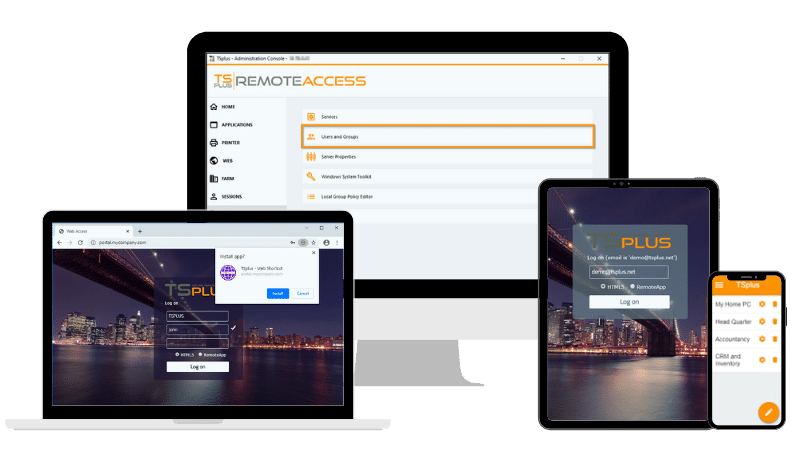
TSplus Remote Access Free Trial
Ultimate Citrix/RDS alternative for desktop/app access. Secure, cost-effective, on-premises/cloud
)
)
)
