








)
)
Introduction
Windows applications still support essential business processes, from accounting and enterprise resource planning to healthcare, manufacturing and custom line-of-business systems. However, installing and maintaining these applications on every endpoint becomes difficult when users work remotely, use different operating systems or connect from unmanaged devices.
Windows application publishing software offers a practical alternative. The application runs on centralized Windows infrastructure while authorized users interact with its interface through a browser, desktop shortcut or remote access client. This approach can extend access to existing software without requiring a complete web rewrite or a full virtual desktop for every user.
What Is Windows Application Publishing Software?
Windows application publishing software makes programs installed on a central Windows server or virtual machine available to remote users. Instead of installing and maintaining the application and its dependencies on every device, administrators manage them on one or more central hosts.
The platform controls which users can launch each application, how they authenticate, how their sessions are secured and which local resources they can use. While the program runs on the Windows host, the endpoint displays its interface and sends keyboard, mouse and other permitted input back to the server.
Microsoft Learn explains that Remote Desktop Services can centrally deliver either complete desktops or individual RemoteApp programs to authorized users.
Unlike downloaded software, a published application does not run in full on the endpoint. The user interacts with a remote instance hosted on the central Windows infrastructure.
What Does Publishing a Windows Application Mean?
Publishing a Windows application means making it remotely available to selected users without necessarily giving them access to a complete Windows desktop.
A typical process includes five stages:
- Install the application on a Windows server or virtual machine
- Register its executable in the publishing platform
- Assign access to users or groups
- Authenticate users through a portal, client or identity provider
- Start a remote session and display the application interface
Users may see only the accounting package, customer relationship management client or proprietary tool they need, while the desktop, server file system and unrelated applications remain hidden.
How Does Windows Application Publishing Work?
Most Windows application publishing environments rely on the same core layers, although the terminology and implementation may vary between products.
Windows Application Hosts
The application runs on a physical server, virtual machine or cloud-hosted Windows instance. Multiple users may share one session host through separate Windows sessions, while platforms that require stronger isolation may assign dedicated or pooled virtual machines.
Each host must include the correct Windows version, application files, frameworks, database connectivity, profiles, fonts, drivers and other dependencies. Application compatibility therefore depends on the complete host configuration rather than the application alone.
Publishing and Access Control
The publishing service determines which programs users can launch and how those programs appear on their devices. Administrators may publish a single application, several applications, a custom launcher or a complete desktop, with different versions or launch parameters assigned to specific groups where necessary.
Authentication confirms the user’s identity, while authorization determines which applications and resources that user can access. A suitable platform should provide granular assignments for individual users, groups, roles or tenants.
Secure Connection Layer
A gateway or web portal brokers connections between user endpoints and application hosts. External deployments should not expose an unprotected Remote Desktop Protocol service directly to the internet, so organizations should use HTTPS, valid Transport Layer Security certificates, multifactor authentication, access restrictions and monitoring.
Clipboard use, printing, local drive mapping and file transfer can improve usability, but organizations should enable these functions only when the workflow requires them.
User Access Methods
Users may connect through an HTML5 portal, native desktop client, RDP-compatible client, connection file or shortcut. Browser access can reduce deployment work, whereas native clients may provide more complete support for multiple monitors, printers, smart cards and other local devices.
Windows Application Publishing vs. Remote Desktop
Application publishing and remote desktop access rely on related technologies, but they provide different levels of access and different user experiences.
A full remote desktop presents a broader Windows workspace that may include the desktop, Start menu, taskbar, file management tools and all permitted applications. A published application exposes only selected programs, often in individual windows that users can open alongside applications running locally.
| Consideration | Published application | Full remote desktop |
|---|---|---|
| User experience | One or more assigned applications | Complete Windows workspace |
| Typical purpose | Focused access to business software | General remote work environment |
| Administrative scope | Application-by-application assignment | Desktop-level access and policy |
| Resource exposure | Narrower | Broader |
| Best suited to | Contractors, customers, line-of-business apps | Employees needing multiple tools |
Application publishing is usually preferable when users need access to a defined set of programs. A full remote desktop is more suitable when they need file management, several utilities or a complete Windows environment, although some organizations use both models for different user groups.
Windows Application Publishing vs. VDI
Virtual desktop infrastructure (VDI) gives users access to Windows desktops running in virtual machines. Depending on the deployment, these desktops may be personal, pooled, persistent or non-persistent.
Session-based application publishing can support several users on shared Windows infrastructure, often providing higher density and lower management overhead. VDI provides stronger virtual machine-level isolation and may better support workloads that need dedicated operating system configurations, graphics resources or administrative control.
| Consideration | Session-based publishing | VDI |
|---|---|---|
| Delivery unit | Individual application or shared desktop | Complete virtual machine |
| Isolation | Session-level | Virtual machine-level |
| Infrastructure density | Usually higher | Usually lower |
| Personalization | Moderate | Potentially extensive |
| Typical use | Common business applications | Specialized or isolated desktops |
VDI remains valuable when applications cannot coexist on a shared host or users need dedicated resources. However, delivering a complete virtual desktop may be excessive when users only need one or two Windows applications.
Does Application Publishing Turn a Windows App Into a Web App?
Application publishing can make a Windows program accessible through a browser, but it does not convert the program into a native web application. The original code continues to run on Windows infrastructure, and the underlying architecture does not automatically become cloud-native.
Browser access does not give the application responsive web design, browser-native offline capabilities, microservices or application programming interfaces. Application publishing is therefore better understood as modernizing application delivery rather than modernizing the source code itself.
What Changes for the User?
From the user’s perspective, the application becomes easier to access because it can open through a browser or remote access portal without a full local installation. Users also avoid installing the application’s frameworks and dependencies on their own devices.
The interface may appear in a browser tab or a separate application window, but its responsiveness still depends on the application host, network quality and remote display protocol.
What Remains Unchanged?
The application retains its original Windows code, interface and technical dependencies. Registry settings, databases, services, printers and file paths must therefore continue to operate correctly on the Windows host.
Application publishing does not remove compatibility or licensing requirements either. IT teams must still test the software in concurrent sessions and confirm that its intended remote or hosted use is permitted.
When Is Publishing Better Than Rewriting?
Publishing can be practical when an established Windows application remains reliable but would be difficult or expensive to rebuild. Organizations can extend remote and browser access without accepting the cost and risk of an immediate replacement project.
A native web rewrite may be more appropriate when the business needs responsive design, offline use, modern integrations or cloud-native scalability. Publishing can also provide an intermediate solution while the organization develops a longer-term modernization strategy.
When Should You Publish Windows Applications?
Application publishing is most effective when local installation, software rewriting or full desktop virtualization would create unnecessary cost or operational complexity.
Web-Enable Legacy Windows Applications
Legacy applications may depend on Windows-specific interfaces, older runtimes, registry settings, mapped drives, local database drivers or specialized printing processes. Publishing keeps these applications on compatible Windows infrastructure while making them available through a browser or remote client.
This approach can extend the useful life of existing software and give the organization time to plan a controlled modernization project. Compatibility testing remains necessary for applications that expect a single user, require elevated privileges or depend on local hardware.
Centralize Line-of-Business Software
IT teams can maintain applications and their dependencies on central hosts instead of managing them separately on every workstation. They can test updates in a controlled environment before making the updated application available to users.
This delivery model often suits enterprise resource planning systems, finance applications, inventory tools, medical practice software, legal case management platforms and custom databases.
Support BYOD and Mixed Devices
Browser-based publishing can give users on macOS, Linux, Chromebooks, tablets or personal computers access to a Windows application without moving the application itself onto those endpoints. IT teams must still define which data users are permitted to copy, print, upload or download from unmanaged devices.
Provide Controlled Contractor Access
Contractors and partners may need access to one business application without requiring a corporate laptop or broad access to the internal network. Publishing only the required program can simplify onboarding while supporting multifactor authentication, restricted accounts and least-privilege assignments.
Platforms such as TSplus Remote Access can publish only the applications contractors need, without exposing a complete Windows desktop.
Deliver Existing Software as a Hosted Service
Independent software vendors (ISVs) can use application publishing to provide customers with online access to an existing Windows product. This approach may accelerate hosted delivery, but the ISV remains responsible for tenant isolation, customer identity, service availability, data protection and licensing.
What Should ISVs Evaluate?
An ISV deployment must support repeatable onboarding and administration across separate customer organizations while protecting each customer’s data, configuration and active sessions.
Tenant isolation may rely on separate databases, user accounts, application pools, storage locations, networks or servers. The appropriate design depends on the application architecture, since publishing software cannot automatically make an unsuitable single-tenant application safe for multi-tenant use.
ISVs should also evaluate identity federation, multifactor authentication, customer administrator roles, portal branding, automation and usage reporting. Manual configuration may be manageable during a pilot, but it can become inefficient when the service supports hundreds of users or tenants.
Licensing also requires careful review because Windows, databases, runtimes, the publishing platform and the ISV’s own product may each impose conditions on multi-user access or service-provider hosting.
Benefits and Limitations of Windows Application Publishing
Application publishing centralizes applications and updates, reduces local installation work and makes Windows software available from a broader range of devices. Keeping application processing and business data on managed infrastructure may also reduce the amount of information stored on unmanaged endpoints.
When users only need selected applications, this model can provide a narrower alternative to virtual desktop infrastructure. However, centralization also makes the application hosts, gateway and privileged accounts particularly important security assets.
Application compatibility remains a significant limitation. Programs that use machine-wide settings, depend on local hardware or rely on services designed for a single interactive user may not work correctly in shared sessions, while graphics-intensive and latency-sensitive workloads may perform poorly over remote connections.
Printing, scanning, smart cards and other peripherals must be tested with the exact endpoints and access clients users will have in production. Server capacity should also be based on measured CPU, memory, storage and concurrency requirements rather than general vendor maximums.
How Can You Choose A Windows Application Publishing Software?
A useful evaluation begins with the application, users and intended operating model rather than with a product feature comparison.
Verify Application Compatibility
Document the supported Windows versions, frameworks, services, registry dependencies, databases, file shares, printers, launch parameters and licensing constraints. Test the actual application in the intended multi-user or virtual machine model, including concurrent sessions, user profiles, updates and recovery processes.
Compare User Access and Experience
Assess browser support, native clients, shortcuts, RemoteApp-style windows, multiple monitors, session reconnection and mobile access. Testing should cover important workflows such as printing, file access, clipboard use and local device redirection.
When users only require simple access, a focused browser session may be easier to secure and support than a client with extensive local integration.
Examine Identity and Security Controls
Look for user and group assignments, directory integration, multifactor authentication, account protection, session timeout policies and auditable events. External traffic should use HTTPS and valid certificates, while CISA recommends limiting Remote Desktop Protocol use and avoiding exposed, poorly secured remote desktop services.
The security review should also cover host patching, role separation, logging, backups, monitoring and restrictions on clipboard use, drive mapping, printing and file transfer.
Assess Administration and Automation
Test regular administrative tasks such as publishing an application, assigning it to a group, revoking access, reviewing active sessions, updating branding and backing up the configuration. Larger deployments should also assess application programming interfaces, command-line tools, provisioning templates and monitoring integrations.
Plan for Scale and Resilience
Consider how the environment will support multiple hosts, load balancing, connection brokering, gateway redundancy, profile storage and recovery. Measure representative CPU, memory, storage and network use, then maintain enough additional capacity for growth, maintenance periods and host failures.
Compare Deployment and Total Cost
The platform may run on premises, in a private data center, on public cloud virtual machines or through a hosting provider. The deployment location should reflect the application’s dependencies, data residency requirements, latency, internal skills and cost constraints.
Total cost should account for platform, Windows, application and database licensing, as well as infrastructure, backup, monitoring, security, implementation, administration, support and high availability.
Review Vendor Support and Product Maturity
Review supported Windows versions, release history, documentation, security update practices, support channels, trial options and migration resources. ISVs should also confirm that the vendor supports customer-facing deployments and permits the intended hosting model.
A Practical Proof-of-Concept Plan
A proof of concept should test the complete user journey rather than only confirming that an application opens.
- Select a representative application and build a documented test host.
- Publish it to a controlled pilot group.
- Configure HTTPS, valid certificates, multifactor authentication and restrictive access.
- Test the actual mix of endpoints, browsers and native clients.
- Validate launch, reconnection, profiles, printing, file access and required peripherals.
- Measure host resources during realistic concurrent activity.
- Review logging, access revocation, backup, updates and recovery.
- Expand gradually from technical testers to a limited production cohort.
The pilot should produce clear acceptance criteria and a rollback plan. It should also show whether browser access is sufficient or whether some users need a native client.
Common Windows Application Publishing Mistakes
Choosing a platform before testing the application can conceal compatibility problems, while assuming that browser access provides native web performance can create unrealistic expectations about latency and responsiveness.
Sizing the environment from vendor maximums is equally risky because server density varies according to the application and workload. Organizations must also review every licensing layer before enabling multi-user or hosted access.
Skipping Real Application Testing
A feature list cannot confirm whether an application will behave correctly in concurrent sessions. Problems may appear only when several users access the same files, registry settings, services or local resources at the same time.
IT teams should test representative workflows, user profiles, updates and peripherals before selecting a platform. The proof of concept should reproduce the intended production environment as closely as possible.
Underestimating Security and Licensing Requirements
Exposing Remote Desktop Protocol directly to the internet or enabling every redirection function by default can increase risk. Clipboard access, drive mapping, printing and file transfer should remain limited to clearly defined business needs.
Licensing also deserves close attention because Windows, databases, runtimes, third-party components and the application itself may impose separate requirements on multi-user access or hosted delivery.
Treating External Delivery Like an Internal Deployment
An internal deployment generally serves users from one organization, whereas an external service may support several unrelated customers. External delivery therefore introduces additional requirements for tenant isolation, privacy, availability, support and access management.
Independent software vendors also need repeatable onboarding, monitoring and recovery processes. A configuration that works for a small internal team may not scale safely or efficiently as a customer-facing service.
How Is TSplus a Practical Windows Application Publishing Solution?
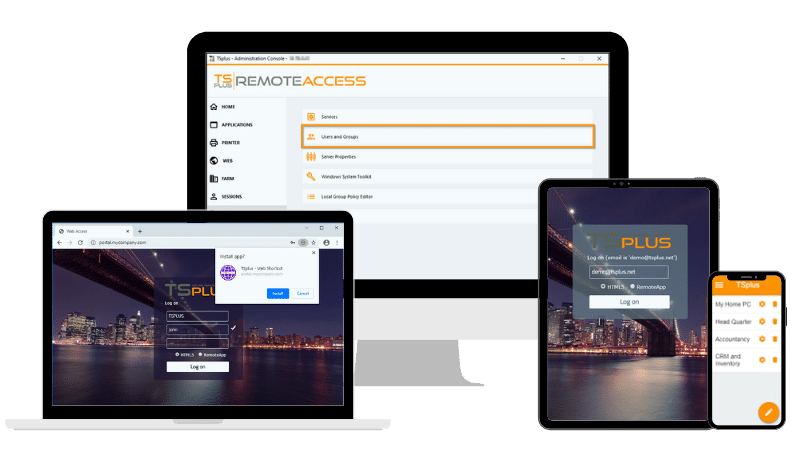
TSplus Remote Access publishes Windows applications and desktops from existing Windows infrastructure. Administrators can assign applications to individual users or groups and provide access through RemoteApp-style connections, RDP-compatible clients or a customizable HTML5 web portal.
This model may suit small and midsized organizations that need centralized application delivery without operating a more complex virtual desktop stack. It can also help ISVs provide remote access to established Windows software while retaining control over hosting and the customer experience.
IT teams should still validate compatibility, licensing, security, user experience, server capacity, backup and recovery through a realistic pilot before moving the deployment into production.
Conclusion
Windows application publishing software can extend access to business-critical programs without requiring local installation, immediate source-code modernization or a full virtual desktop for every user. Its value is strongest when applications are compatible with centralized execution and users need focused, controlled access.
The final decision should be based on practical testing rather than feature lists alone. By validating compatibility, security, licensing, performance, administration and resilience together, IT teams and ISVs can select an application publishing platform that remains manageable as usage grows.
TSplus Remote Access Free Trial
Ultimate Citrix/RDS alternative for desktop/app access. Secure, cost-effective, on-premises/cloud
)
)
)
