








)
)
Providing secure remote access for OT and industrial networks means giving engineers, vendors and support teams the connectivity they need without unnecessarily exposing operational systems. A strong design combines controlled access, server hardening, continuous monitoring and reliable remote troubleshooting.
Industrial environments often depend on Windows application servers, engineering workstations, Human-Machine Interfaces (HMIs), Supervisory Control and Data Acquisition (SCADA) systems and other operational assets which cannot be treated like ordinary office endpoints. The objective is therefore not simply to enable a remote connection. IT and OT teams need to limit what remote users can reach, protect the Windows infrastructure supporting that access and monitor it continuously to be able to react when bottlenecks or other imbalances occur.
What Is Secure Remote Access for OT and Industrial Networks?
Operational Technology (OT) covers systems which monitor or control physical processes. NIST includes industrial control systems and other programmable systems which interact with the physical environment, while emphasizing that OT security must account for particular performance, reliability and safety requirements.
Remote access may be required by internal engineers, equipment vendors, system integrators, maintenance contractors or centralized IT teams. Depending on the environment, the destination may be a Windows application server, engineering workstation, HMI, SCADA server or another system used to operate or maintain industrial processes.
Secure remote access is therefore broader than encrypting a connection. The architecture should determine who can connect, which resources they can reach, when access is allowed and how both activity and infrastructure health will be observed.
Why Does OT Remote Access Need Several Security Layers?
Remote connectivity creates an additional path into infrastructures which may support production. Stolen credentials, standing vendor accounts, overly broad network access, exposed remote services and weakly protected application servers can all increase risk to an already crucial area of those infrastructures.
No single control solves all these problems. Authentication verifies identity but does not monitor server load. Network segmentation limits movement but does not protect a Windows server against every attack. Monitoring identifies unusual conditions but does not replace access restrictions or system hardening.
A practical model is therefore to combine layers:
- access,
- protection,
- visibility and
- intervention.
Each answers a different operational question and reduces dependence on any one process or security mechanism.
How Should Remote Access to OT Resources Be Controlled?
Limit exposure between remote users and OT systems
Remote users should not receive unnecessary network reachability simply because they need one application or management resource. CISA maintains specific guidance for configuring and managing remote access to industrial control systems. Placed at the forefront is the need to treat remote connectivity as a distinct part of industrial cybersecurity.
Network segmentation, firewalls, controlled gateways and industrial demilitarized zones remain important architectural measures. Where an OT-native gateway or protocol-aware security appliance is required, that role should remain separate from the Windows application-delivery layer.
Give users only the Windows resources they need
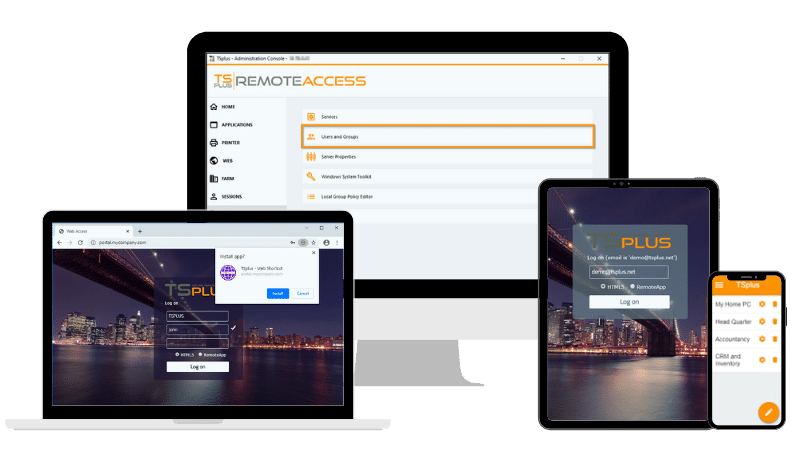
For some workflows, the appropriate access model is not a complete remote desktop but a specific Windows application. The same goes for any individual application made available for use. TSplus Remote Access lets administrators publish applications and assign them to individual users or groups, while retaining the option to provide a full remote desktop when the case requires one.
This distinction can reduce unnecessary exposure around engineering, management or reporting applications hosted on Windows servers. Application publishing does not replace OT network segmentation, but it can apply a narrower access model to the application layer.
Strengthen authentication and connection policies
Remote access to any industrial network also requires strong authentication, encrypted connections and carefully managed account policies. Multi-factor authentication, controlled application assignment and deliberate session policies become particularly important when contractors, equipment manufacturers or third-party maintenance providers require connectivity.
The objective remains consistent: a remote connection should expose no more resources than the user's task requires.
How Can Windows Servers Supporting OT Access Be Protected?
Windows servers which publish applications or desktops remain part of the attack surface. They require their own defensive controls even when the surrounding network architecture is properly segmented.
TSplus Advanced Security adds Windows server protections including brute-force protection, blocking of hostile IPs, geographic restrictions, working-hours rules and firewall management. Administrators can therefore reduce repeated login attacks and restrict incoming connections according to operational requirements. Working-hours restrictions can also be applied by user or group and can automatically disconnect sessions outside configured periods.
TSplus Advanced Security further provides ransomware protection, permissions, secure-session controls and trusted-device capabilities. Its ransomware protection can detect suspicious activity and quarantine affected programs or files for administrator review.
These controls are relevant to Windows application servers and remote-access servers within an industrial environment. They should not, however, be confused with protection of programmable logic controllers, field devices or industrial communication protocols themselves.
Why Is Continuous Monitoring Part of Secure OT Remote Access?
Access controls define what should be allowed. Monitoring helps IT teams understand what is actually happening across the infrastructure supporting those remote operations.
Different markers and levels according to your server infrastructure
TSplus Server Monitoring provides real-time and historical visibility into CPU, memory, disk activity, bandwidth, running processes and connected users. Administrators can configure alerts for processor load, memory, disk read and write activity, network usage, disk capacity, active users and downtime.
This visibility contributes to both reliability and security operations. A sudden increase in resource consumption, unexpected user activity or unusual network usage may indicate an overloaded application, configuration problem, failed maintenance task or another condition requiring investigation. Configurable alerts keep the right team members informed whenever events take place.
TSplus Server Monitoring does not inspect the likes of control programs running on Programmable Logic Controllers (PLCs), nor does it analyse industrial communication protocols or monitor the physical industrial process itself. Instead, it provides administrators baselines and operational evidence around the Windows infrastructure that supports remote industrial workflows.
Establish baselines before looking for anomalies
Industrial operations, especially tried and tested ones, tend to benefit from predictability. Historical monitoring allows IT teams to understand normal server loads, application consumption, bandwidth requirements and user patterns. This provides them with insight to identify any unusual fluctuations and events often before an incident occurs.
Baselines also make alerts even more useful. Rather than treating any predictable or habitual temporary spike as an incident, administrators can define thresholds around the actual behaviour of the systems they manage and investigate meaningful deviations earlier.
How Does Remote Support Fit Into Industrial Maintenance?
Secure remote operations are not limited to accessing centrally hosted applications. IT and maintenance teams also need practical ways to diagnose and repair remote Windows endpoints when problems arise.
TSplus Remote Support combines screen control and command-line access with file transfer, administrative commands, remote computer information, multi-monitor handling, screenshots and session recording amongst other essentials.
A technician can inspect a remote workstation or headless server, check system information, transfer diagnostic files, execute administrative actions, work in collaboration with another colleague from a third location, restart or lock a system and record a session where traceability is required. TSplus Remote Support therefore acts as the intervention layer alongside the other TSplus software tools for secure remote access to operational technology and industrial networks.
How Can the TSplus Layers Work Together Around OT?
TSplus products do not replace industrial firewalls, PLC security, protocol-aware gateways or OT network segmentation. It was designed around Windows servers, applications and endpoints which in turn support industrial operations.
Layer | Operational question | TSplus contribution |
Access | What can the remote user reach? | TSplus Remote Access |
Protection | How is the Windows server defended? | TSplus Advanced Security |
Visibility | What is happening across the infrastructure? | TSplus Server Monitoring |
Intervention | How can IT diagnose and fix problems remotely? | TSplus Remote Support |
Consider a manufacturer hosting a Windows-based engineering or management application centrally. TSplus Remote Access can publish the required application to authorized users rather than automatically exposing a complete desktop. Meanwhile, TSplus Advanced Security secures and hardens the server and tightens connection conditions, while TSplus Server Monitoring tracks resource, network and user activity.
If ever an engineering workstation or other Windows endpoint then requires diagnosis or maintenance, Remote Support provides technical staff with the tools to investigate and intervene from any location. Facing the variety of OT security functions, each addresses a distinct part of the remote-operations lifecycle.
Secure OT Remote Access Requires Both Control and Visibility
Secure remote access for OT and industrial networks should be designed as a layered system. Organizations need to restrict unnecessary access, protect Windows systems exposed to remote users, continuously monitor supporting infrastructure and maintain effective remote troubleshooting capabilities.
Where industrial operations depend on Windows servers, applications and endpoints, the TSplus product suite can support these access, protection, monitoring and maintenance layers while dedicated OT security controls continue to protect industrial networks, controllers and field assets.
TSplus Remote Access Free Trial
Ultimate Citrix/RDS alternative for desktop/app access. Secure, cost-effective, on-premises/cloud
)
)
)
