





Introduction
The way businesses manage remote access is evolving fast. With the rise of hybrid work, cybersecurity threats, and Microsoft’s recent shifts around RDP, many organizations are seeking a better alternative. While Microsoft Remote Desktop Protocol (RDP) remains widely used, security concerns, management complexity, and Microsoft's retirement of several legacy Remote Desktop clients have prompted IT teams to reassess their remote access strategies and explore more flexible alternatives.
This article breaks down why RDP is losing ground, what to prioritise in a replacement, and which modern solutions—including TSplus—offer the right mix of performance, security, and cost-efficiency.
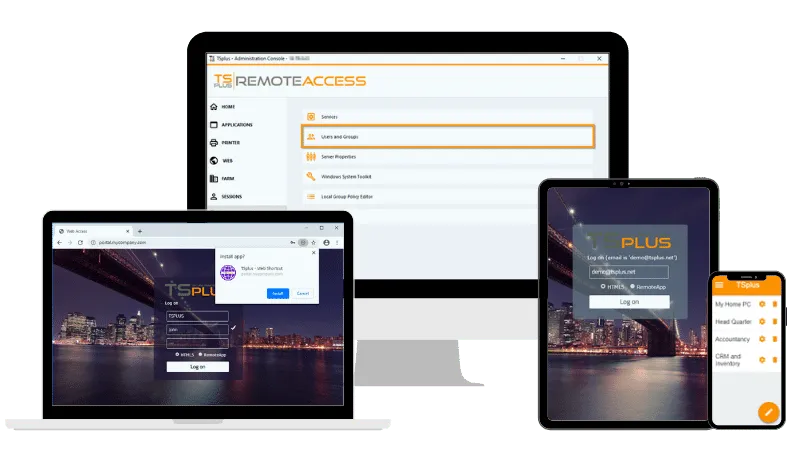
TSplus Remote Access Free Trial
Ultimate Citrix/RDS alternative for desktop/app access. Secure, cost-effective, on-premises/cloud
Why Are Organizations Replacing RDP?
RDP’s design predates the modern workplace. While once adequate, today’s expectations for secure, seamless, and scalable access have exposed its shortcomings.
Security Risks
RDP is one of the most frequently attacked services in the enterprise environment. Misconfigured or exposed RDP ports have contributed to countless ransomware attacks. Even with VPNs, the lack of multi-factor authentication (MFA), session control, and detailed access management leaves organisations vulnerable.
According to Microsoft Learn, securing RDP requires advanced configurations, constant monitoring, and regular patching—efforts many teams struggle to maintain.
Scalability and Performance Constraints
RDP was never built for today’s globally distributed workforces. It struggles in high-latency or low-bandwidth conditions, lacks dynamic optimization for multiple screens, and often limits concurrent session handling unless paired with Remote Desktop Services (RDS) - which itself increases complexity.
Microsoft’s Remote Desktop App Retirement
Microsoft's transition to Windows App has changed the remote desktop client landscape. The Remote Desktop app for Windows from the Microsoft Store reached end of support on 27 May 2025, while the Remote Desktop client for Windows (MSRDC/MSI) reached end of support for public-cloud environments on 27 March 2026.
Windows App now provides access to services including Azure Virtual Desktop and Windows 365. However, the traditional Remote Desktop Connection tool (mstsc) remains available for direct RDP connections to Windows PCs and servers. The RDP protocol itself has not been retired.
For IT teams, these changes are an opportunity to review client compatibility, deployment requirements, and the long-term flexibility of their remote access infrastructure.
What Should You Look for in a Remote Desktop Replacement?
Selecting the right alternative to RDP requires more than just compatibility. IT leaders should evaluate replacement tools against a modern checklist of features and priorities.
Enterprise-Grade Security
Ensure the solution supports:
- End-to-end encryption (TLS/SSL)
- Multi-factor authentication (MFA)
- Granular role-based access control
- Session logging and activity tracking
Flexible Scalability
Choose tools that can scale from small teams to large enterprises, with the ability to:
- Add users without major reconfiguration
- Balance loads across multiple servers
- Handle remote sessions reliably in high-traffic scenarios
Broad Platform Compatibility
Support for Windows, Linux, macOS, Android, iOS, and web browsers is essential for hybrid device environments.
Optimised Performance for Remote Work
The best replacements include smart protocol optimisations for:
- Low-bandwidth environments
- Multi-monitor setups
- Real-time responsiveness for graphic-intensive apps
App Publishing vs. Full Desktop Delivery
Look for flexible deployment options. Publishing only specific applications (rather than full desktops) reduces risk and improves user focus.
Easy Integration and Management
Tools should offer:
- Active Directory or LDAP integration
- Centralized management consoles
- Automation of user provisioning and updates
Cost Transparency
Many enterprise solutions offer powerful features—but at steep licensing or infrastructure costs. Evaluate:
- Licensing clarity (per user/device/session)
- Hidden infrastructure costs
- Total cost of ownership (TCO) over time
How Does Application Publishing Differ from Full Desktop Access?
One of the most important evolutions in remote access is the shift from full desktop virtualization to application-centric delivery. Rather than providing users with access to an entire desktop environment, modern solutions can publish only the specific applications users need to interact with—streamlining access and reducing overhead.
Benefits of Application Publishing
- Reduced server resource consumption: Applications consume fewer resources than full desktop environments, allowing for better performance and lower hardware requirements.
- Lower security exposure: Limiting access to only required applications reduces the attack surface and helps contain potential breaches.
- Faster access for users: Users can launch remote apps directly from their browser or local launcher without navigating through a desktop interface.
- Simplified patching and updates : IT teams can update a single hosted app version, instantly affecting all users.
This approach is ideal for independent software vendors (ISVs), customer support departments, or companies delivering cloud-based tools. Still, when users need access to a full desktop for administrative tasks or legacy workflows, it’s important to choose a platform that supports both delivery models. TSplus Remote Access, for instance, offers this dual flexibility.
What Are The Top Remote Desktop Replacements?
Several modern solutions have emerged as strong candidates to replace traditional RDP Each offers a different mix of features, complexity, and target audience. Below, we explore the leading options in detail to help IT leaders choose the right tool for their needs.
Citrix
Best For
Large organizations requiring granular access control, VDI infrastructure, and compliance-driven environments.
Key Features
- High-level security, including MFA, RBAC role-based access control ), and policy enforcement
- Seamless application publishing with optimised delivery protocols
- Strong integration with enterprise ecosystems, including Microsoft Azure and VMware vSphere
Considerations
Citrix is powerful but comes with a high learning curve and significant costs. It requires experienced IT teams to manage deployments, updates, and user support.
Omnissa Horizon: VDI-Centric Infrastructure
Best For
Organizations requiring enterprise-scale virtual desktop infrastructure (VDI), particularly those operating VMware vSphere environments.
Key Features
- Enterprise VDI and application delivery, with support for VMware vSphere-based deployments
- Blast Extreme display protocol for optimised remote session performance
- Centralized desktop, application, and user session management
Considerations
Omnissa Horizon (formerly VMware Horizon) provides comprehensive VDI capabilities but requires significant infrastructure planning, administration, and licensing investment. While well suited to enterprise deployments, its complexity may exceed the needs of SMBs seeking simpler remote desktop or application access.
Parallels RAS: Simplified Hybrid Access
Best For
Small to mid-sized businesses and IT teams looking for a user-friendly, hybrid remote access tool.
Key Features
- Application publishing and full desktop access
- Supports Windows, macOS, iOS, Android, and browser-based sessions
- Centralized management with streamlined setup
Considerations
Parallels RAS offers fewer enterprise-grade customisations c compared to Citrix or Omnissa Horizon but makes up for it with simplicity and cost-efficiency.
AnyDesk and TeamViewer: Lightweight Remote Support Tools
Best For
Small IT teams and organisations that need quick, secure, ad-hoc remote support.
Key Features
- Fast session initiation and low resource usage
- Easy-to-use interface suitable for non-technical users
- Secure tunneling with session encryption
Considerations
These tools are ideal for support use cases, not full-scale remote desktop delivery. They lack centralised session control, app publishing, and enterprise-level scalability.
Open-Source Options: Apache Guacamole and RustDesk
Best For
Technical users and organisations seeking flexibility and low-cost deployment.
Key Features
- Apache Guacamole offers a clientless HTML5-based RDP/VNC/SSH gateway
- RustDesk provides an open-source alternative to TeamViewer with P2P support.
- Highly customizable and ideal for in-house development
Considerations
While cost-effective, these tools demand technical expertise for configuration and maintenance. Enterprise support is limited, and compliance or high-security requirements may be harder to fulfil.
TSplus Remote Access - A Simpler Alternative to Native RDP Access
For organizations seeking a simple, secure, and affordable remote desktop replacement, TSplus Remote Access offers an alternative to relying on native RDP clients alone. Building on Windows remote session technologies, it combines application publishing, full desktop access, and browser-based connectivity with centralised management, while helping businesses reduce complexity and operational costs.
With TSplus, you can:
- Deliver apps or full desktops via web browser
- Secure remote sessions with built-in Advanced Security
- Integrate easily with Active Directory or LDAP
- Support any device without installing a client
- Manage infrastructure from an intuitive web console
Unlike complex enterprise stacks, TSplus keeps deployment lean while providing the essentials IT teams care about most—security, performance, and scalability.
What is the Future of Remote Desktop Access?
Remote desktop access continues to evolve toward :
- Zero Trust security frameworks
- Web-based clients with no installation required
- Streamlined application delivery models
- Flexible licensing aligned with cloud-first operations
Organizations relying on traditional RDP deployments should reassess their security, management, and accessibility requirements. Modern remote access solutions can build on existing Windows infrastructure while providing stronger protection, simpler administration, and greater flexibility.
Conclusion
In today’s evolving IT landscape, reassessing how RDP is deployed, secured, and managed has become a strategic priority. With rising security threats, scalability demands, and Microsoft’s changing roadmap, modern remote access solutions must be secure, flexible, and easy to manage. Whether you need full desktop delivery or streamlined app publishing, tools like TSplus offer a cost-effective path forward. Choosing the right solution now ensures resilience, performance, and control for the future of work.
TSplus Remote Access Free Trial
Ultimate Citrix/RDS alternative for desktop/app access. Secure, cost-effective, on-premises/cloud


