









)
)
Introduction
This comparison is for IT managers, system administrators, managed service providers and software vendors evaluating how to deliver Windows applications or desktops remotely. It explains when the Cloud PC model of Windows 365 is appropriate and when the application-focused architecture of TSplus Remote Access may be a better fit.
What Is Windows 365?
Windows 365 is Microsoft’s software-as-a-service Cloud PC platform. It provides users with Windows 10 or Windows 11 virtual machines hosted by Microsoft and accessible from supported devices.
In the main Windows 365 Business and Enterprise services, each user generally receives a persistent Cloud PC. Microsoft provisions that environment when an administrator assigns the required licence and, for Enterprise deployments, applies the relevant provisioning policy.
Microsoft offers several editions for different operating models:
- Windows 365 Business supports simpler deployments for organisations with up to 300 users
- Windows 365 Enterprise adds Microsoft Intune integration and deeper customisation
- Windows 365 Flex, formerly Windows 365 Frontline, supports users who need access during only part of the day.
- Windows 365 Cloud Apps delivers individual applications from shared Flex Cloud PCs
Windows 365 is therefore no longer limited to full desktops. However, its published applications still run inside Microsoft’s Cloud PC architecture and depend on Flex licensing and the associated management stack.
TSplus Remote Access follows a different model. It publishes applications and desktops from Windows servers deployed on premises or in a cloud environment selected by the customer, rather than providing Microsoft-hosted personal Cloud PCs.
What Windows 365 Does Well
Windows 365 suits organisations that want standardised Windows workspaces without maintaining their own virtual desktop infrastructure.
Personal, persistent Windows environments
A Windows 365 Cloud PC gives each user a complete desktop with applications, settings and data. In Business and Enterprise, that environment remains assigned to one person rather than being shared through a multi-user server. This suits developers, power users and knowledge workers who need a fully managed computer.
Predictable Cloud PC provisioning
Windows 365 uses fixed per-user, per-month licensing based on virtual processors, memory and storage. This makes capacity and spending easier to forecast when users have stable requirements and each person needs a dedicated Windows environment.
Microsoft ecosystem integration
Windows 365 Enterprise integrates closely with Microsoft Intune and Microsoft Entra ID Administrators can use these services to apply policies, deploy applications, manage images, monitor endpoints and enforce Conditional Access.
Organizations already using these services can manage Cloud PCs through familiar tools and processes.
Support for remote and bring-your-own-device work
Users can access Windows 365 from several device types through a browser or supported Microsoft client. Because applications and data remain inside the Cloud PC, employees receive a consistent workspace without running corporate workloads directly on personal endpoints.
Reduced infrastructure responsibility
Microsoft operates the underlying Cloud PC compute layer, so customers do not need to purchase hosts or design the storage and virtualisation platform behind each desktop.
Windows 365 still requires administration, but the focus shifts from maintaining virtualization infrastructure to managing identities, policies, applications and user environments.
Why Businesses Look for a Windows 365 Alternative
Businesses often consider an alternative when they need less than a complete Cloud PC, prefer another hosting model or find per-user economics unsuitable.
They need application access, not another PC
Many remote-access projects begin with a limited goal, such as:
- Giving employees access to an ERP or accounting system
- Publishing a legacy program through a browser
- Providing customers with access to a Windows-based application
In these cases, a complete operating system and virtual hardware profile may be more than the user needs. Windows 365 Cloud Apps addresses part of this requirement, but it still relies on Flex Cloud PCs and the corresponding Microsoft licensing and management architecture.
TSplus Remote Access takes an application-first approach. Administrators can publish selected Windows applications, assign them to users or groups and deliver them through a browser, an RDP client or a RemoteApp-style experience.
Recurring per-user Cloud PC costs may not match the workload
Windows 365 uses a fixed monthly subscription for each licensed user. The price depends on the Cloud PC or Flex configuration, and some Enterprise deployments may also involve additional Microsoft licensing, networking or management costs.
That model works well when every user needs a dedicated Cloud PC, but it may be less efficient for occasional or lightweight application access. A fair comparison should include:
- Peak concurrency and application resource use
- Hosting and Windows licensing
- B backup, security and availability
- Administration and support
TSplus offers perpetual per-server and subscription licensing, giving organizations another way to structure costs.
Some organizations need infrastructure control
Windows 365 Cloud PCs run as a Microsoft-hosted service. This reduces infrastructure responsibility, but it also determines where the workload runs and how the platform is managed.
Some organizations need application servers on premises, in a private cloud, inside an existing cloud account or close to databases and file servers. TSplus supports these models while leaving the customer responsible for capacity, patching, backup and availability.
Enterprise management can involve several Microsoft services
Windows 365 Business simplifies provisioning for smaller environments, while Windows 365 Enterprise adds the controls larger organisations expect. Those controls also introduce more components.
Windows 365 Enterprise commonly involves eligible Windows Enterprise, Microsoft Intune and Microsoft Entra ID P1 licensing. This suits mature Microsoft environments, while a team publishing only a few applications may prefer fewer dependencies.
Application providers may want to web-enable an existing product
Independent software vendors may not want to provision and manage a personal Cloud PC for every customer using a Windows application.
TSplus can publish an existing program through a customisable web portal without rewriting it for the browser. Application assignments and multi-server farms also support SaaS-style delivery as demand grows.
When TSplus Is a Strong Windows 365 Alternative
TSplus is a strong fit when users need centralised Windows applications or shared desktops rather than personal Cloud PCs.
Publishing one or more Windows applications
Administrators can publish applications installed on a centralized Windows server and assign them to specific users or groups. Each user sees only the software they are authorized to launch.
This model works well for ERP, CRM, finance, manufacturing, healthcare and other line-of-business applications that need to stay close to centralised databases or files.
Providing browser-based access
The TSplus HTML5 client delivers published applications and desktops through a web browser Users connect through a customizable portal without requiring IT to provide a complete virtual PC for each person.
This can simplify access for external staff, customers and employees using devices where installing a client is inconvenient.
Extending the life of legacy applications
TSplus can make a legacy Windows application remotely accessible without rebuilding it as a native web application. It does not modernise the code, but it can reduce the urgency and risk of an immediate rewrite.
Running on infrastructure selected by the customer
TSplus can run on premises or on a cloud-hosted Windows server. This suits businesses that need control over hosting, network topology or proximity to existing systems, although they must plan maintenance, monitoring, backup and resilience.
Supporting multi-user server and farm architectures
TSplus supports concurrent sessions, centralised gateways, load balancing and failover. An organisation can begin with one server and expand to a farm as demand grows.
Choosing between capital and subscription licensing
Organizations can choose perpetual or subscription licensing according to procurement preferences, deployment lifetime and broader infrastructure costs.
When Windows 365 May Still Be the Better Fit
TSplus is not a like-for-like replacement. Windows 365 remains stronger for complete, personal and Microsoft-managed Windows environments.
Every user needs a complete personal Windows PC
Developers, designers and knowledge workers may need their own operating system, local applications, persistent storage and custom settings. Windows 365 is designed for this personal experience, which a shared server may not reproduce.
The organization is standardized on Intune and Entra ID
Enterprises already managing endpoints through Microsoft Intune may prefer to include Cloud PCs in the same policy, application-deployment, compliance and security workflows.
TSplus supports directory-based access and application assignment, but it does not replace a complete endpoint-management platform such as Intune.
IT wants Microsoft to host the desktop infrastructure
Microsoft operates the Windows 365 Cloud PC service. TSplus gives customers more infrastructure choice, but also responsibility for Windows servers, capacity, maintenance and availability. Organizations seeking less infrastructure management may therefore prefer Windows 365.
Users require strong desktop isolation
Windows 365 Business and Enterprise generally assign a separate Cloud PC to each user. This can provide a clearer isolation boundary than hosting many sessions on a shared Windows server.
The importance of that isolation depends on the application, data sensitivity, compliance obligations and threat model.
The business needs a Microsoft-native Cloud App architecture
Windows 365 Cloud Apps delivers individual applications while retaining Intune management, Microsoft-hosted Cloud PCs and Microsoft integration. TSplus is more appropriate when the organisation prefers customer-selected infrastructure and a dedicated application-publishing platform.
Windows 365 vs TSplus Comparison Table
| Business requirement | Windows 365 | TSplus Remote Access | Likely stronger fit |
|---|---|---|---|
| Personal, persistent Windows PC for every user | Core Business and Enterprise use case | Can provide a remote desktop, usually from shared server infrastructure | Windows 365 |
| Access to selected Windows applications | Available through Windows 365 Cloud Apps with Flex shared Cloud PCs | Core application-publishing use case | Depends on the preferred architecture |
| Publish legacy Windows applications without rewriting them | Applications can be installed or packaged in the Windows 365 environment | Designed to web-enable and publish existing Windows applications | TSplus Remote Access |
| Microsoft-hosted desktop infrastructure | Yes | No; the customer selects and operates the hosting environment. | Windows 365 |
| On-premises deployment | The Cloud PC remains Microsoft-hosted | Supported | TSplus Remote Access |
| Private or customer-selected cloud hosting | Limited to the Windows 365 service architecture | Supported on compatible customer-managed Windows infrastructure | TSplus Remote Access |
| Intune-based endpoint management | Strong integration, particularly with Enterprise and Flex | Not an Intune replacement | Windows 365 |
| Browser-based application or desktop access | Supported | Supported through the HTML5 web portal | Both |
| Multi-user application server | Cloud Apps uses shared Flex Cloud PCs with licensed concurrency. | Core multi-session server and farm model | Depends on concurrency and management needs |
| Licensing model | Fixed per-user, per-month Cloud PC or Flex licensing | Perpetual per-server or subscription licensing | Depends on workload and procurement model |
| Infrastructure maintenance | Microsoft operates the Cloud PC service | The customer or hosting partner manages the servers | Windows 365 for lower infrastructure responsibility |
| Customizable application portal | Microsoft Windows App and web experiences | Customizable TSplus web portal | TSplus Remote Access |
| Complete endpoint compliance and device-policy stack | Available through Microsoft’s management and security ecosystem | Requires separate tools and operational controls | Windows 365 |
The comparison goes beyond a feature checklist. Windows 365 delivers Microsoft-hosted Windows environments, while TSplus publishes centralised applications and desktops from infrastructure controlled by the customer.
How to Choose the Right Windows 365 Alternative
Start with the workload: do users need a complete Windows environment or only specific applications?
Decide whether users need an application or an operating system
List what each user must access. Someone who needs Outlook, development tools, several productivity applications, local software installation and a persistent personal workspace may require a Cloud PC.
A user who only needs an ERP client, accounting package or other line-of-business application may be better served by application publishing.
Determine whether the environment must be personal or shared
Consider whether users need:
- Dedicated virtual hardware or a unique device identity
- Persistent local storage and personal settings
- Operating system customization or administrator rights
When most answers are yes, Windows 365 is closer to the requirement. When users can share server capacity while keeping separate sessions and permissions, TSplus may be a better match.
Choose the required hosting model
Decide whether the workload should run:
- In the Microsoft Cloud
- In an existing cloud account or private cloud
- With a hosting partner
- On-premises
Windows 365 provides a standardized Microsoft-hosted service. TSplus Remote Access offers greater choice between on-premises and cloud infrastructure , but the customer assumes more infrastructure responsibility.
Review identity and management requirements
Organizations that depend on Intune compliance, Microsoft security baselines, Conditional Access and unified endpoint reporting should weigh the Microsoft-native strengths of Windows 365. A focused application delivery project may instead rely on directory integration, assignments, Transport Layer Security and server-level controls.
TSplus two-factor authentication and Advanced Security are separate components and should be included in the design and cost model.
Model concurrency rather than counting only named users
For application delivery, peak simultaneous usage may matter more than total authorised users. Measure concurrency, session duration, CPU and memory use, storage, printing, peripherals, growth and availability targets. This profile guides sizing and licensing more accurately than a simple user count.
Calculate total cost of ownership
Build at least a three-year cost model. For Windows 365, include Cloud PC or Flex subscriptions, Microsoft prerequisites, networking and administration. For TSplus, include licenses, Windows hosts, hosting, Windows licensing, security, backups, monitoring, availability and support. Headline prices alone do not show the full cost.
Run a representative proof of concept
Test the actual application with representative users and network conditions. Review:
- Login and launch times
- Printing, file transfer and browser compatibility
- Multi-monitor and multi-user behaviour
- Administrative effort and recovery from failures
The better platform is the one that meets workload, security and operational requirements in practice.
Conclusion
Windows 365 and TSplus serve different remote-access priorities. Windows 365 fits organisations that need personal, Microsoft-hosted Cloud PCs, while our solution suits application-focused deployments on customer-selected infrastructure. Comparing workload, management requirements, hosting control and total cost will help IT teams choose the most appropriate model with confidence.
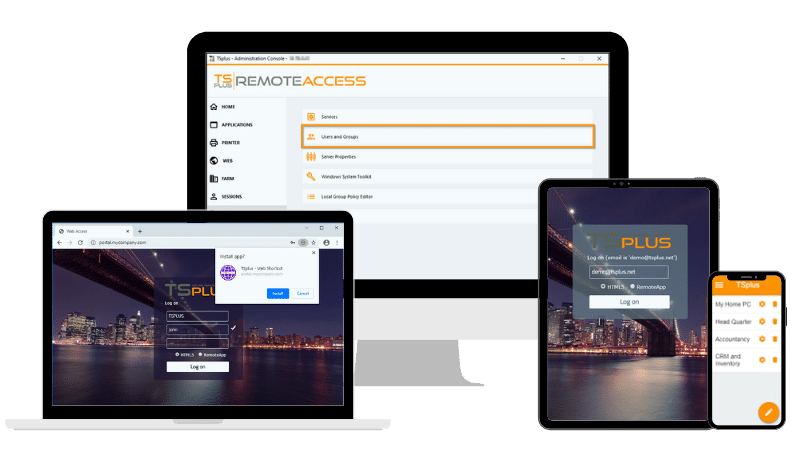
TSplus Remote Access Free Trial
Ultimate Citrix/RDS alternative for desktop/app access. Secure, cost-effective, on-premises/cloud
Frequently Asked Questions
Is TSplus a direct replacement for Windows 365?
Not in every scenario. Windows 365 provides Microsoft-hosted personal Cloud PCs, while TSplus publishes applications or desktops from customer-managed Windows servers.
Our solution is a strong alternative for centralized application access, but not when each person requires an independently managed Cloud PC.
Can TSplus publish an application without showing a full Windows desktop?
Yes. Administrators can publish individual applications through an HTML5 browser session or a RemoteApp-style client. They can also configure a specific application to launch automatically when the user connects.
Does Windows 365 offer application-only access?
Yes. Windows 365 Cloud Apps delivers individual applications from Windows 365 Flex Cloud PCs in shared mode.
The key difference is architectural: Windows 365 Cloud Apps remains Microsoft-hosted, Flex-licensed and Intune-managed, while TSplus publishes applications from customer-selected Windows infrastructure.
Is TSplus less expensive than Windows 365?
It can be for some multi-user or application-only workloads, but the result depends on architecture and usage.
Windows 365 uses recurring per-user licensing, while TSplus offers perpetual per-server and subscription options. A fair comparison must also include hosting, Windows licensing, administration, backup, security and availability.
Which solution is better for legacy Windows applications?
TSplus is often well suited to centralising and publishing an existing Windows application without rebuilding it as a web application.
The application should still be tested for multi-user compatibility. Software requiring exclusive machine access, unusual hardware or extensive customisation may need a dedicated environment.
)
)
)
