








:quality(80)/m/filters:format(webp))
:quality(80)/m/filters:format(webp))
Windows Server 2025 is increasingly becoming part of infrastructure refresh plans, especially as Windows Server 2016 approaches end of support. For IT teams managing remote desktops, published applications or RDS infrastructure, migration involves more than upgrading the operating system. Existing roles, licensing, authentication methods, external access paths and workloads all need to be considered before production systems move.
Why Does Windows Server 2025 Remote Access Planning Matter Now?
Windows Server context in 2026
For many IT teams, Windows Server 2025 will arrive as part of a broader infrastructure refresh rather than as an isolated Remote Desktop project. Existing environments may combine administrative Remote Desktop Protocol (RDP), Remote Desktop Services (RDS), RD Gateway, VPN access, published business applications and third-party remote access software.
The practical question is therefore not simply whether Windows Server 2025 supports remote access. It does. Instead, the more useful question is what needs reviewing so users, applications and administrators can continue connecting as expected throughout the migration.
A migration deadline due to Windows Server 2016 End of Support
Microsoft lists January 12, 2027 as the end of extended support for Windows Server 2016. After that date, organizations cannot rely on the standard lifecycle for routine security updates and product support, so systems remaining in production need another supported path or a migration plan.
Remote access makes this deadline particularly relevant because older servers often sit behind business-critical workflows. A Windows Server 2016 machine may still host applications, user sessions or remote access infrastructure which other systems depend on in turn. Replacing the operating system without identifying those relationships can turn a server refresh into an access problem.
Preparation should therefore start before the migration window. Record which applications still require Windows Server 2016, which users connect to them, how those connections are made and which authentication, licensing or infrastructure services support them. Our dedicated Windows Server 2016 end-of-support guide provides a place to start for teams needing to explore the lifecycle deadline and migration options in greater detail.
Inventory remote access before choosing the migration path
A useful inventory separates the remote access functions which often get grouped together under “RDP”:
- Administrative Remote Desktop,
- multi-user RDS ,
- RD Gateway,
- RD Web Access,
- RD Licensing and Routing
- and Remote Access Service (RRAS).
Each performs different jobs and does not necessarily have identical migration requirements.
For an RDS deployment, document:
- the RD Connection Broker,
- Session Hosts,
- Gateway,
- Web Access and Licensing servers, including their Windows Server versions.
Add
- certificates,
- DNS names,
- authentication dependencies,
- user profiles,
- published applications
- and any load balancing or high-availability components.
Third-party application delivery software belongs in the same inventory. Its Windows Server 2025 compatibility should be checked alongside the Microsoft infrastructure rather than discovered during production rollout.
Plan RDS Roles and Version Compatibility Together
Remote Desktop Services can support a staged move to Windows Server 2025, but IT teams cannot treat every RDS role as an independent server upgrade. Microsoft defines supported relationships between role versions and provides an order for upgrading an RDS deployment .
This matters most in farms where infrastructure and Session Hosts are spread across several servers. Migration sequencing should be designed around those relationships before maintenance windows are booked.
Decide What Can Coexist During a Staged Migration
Microsoft states that all RD Session Hosts within one collection need to run at the same Windows Server level, although separate collections can use different supported versions. A staged deployment could therefore retain a collection of older Session Hosts while another collection runs Windows Server 2025.
RD Connection Broker requires closer attention. Microsoft recommends upgrading Connection Broker servers first and does not support mixed Windows Server versions across Connection Brokers in the same deployment. Once the brokers run the newer version, supported older Session Hosts can remain available while subsequent stages proceed.
Where the architecture permits it, this makes a pilot collection useful. IT can validate representative applications and user sessions on Windows Server 2025 before committing the remaining workload to the new platform.
Review RDS Licensing Before Moving Session Hosts
RD Licensing also belongs early in the migration sequence. Microsoft states that an RDS license server can process Client Access Licenses (CALs) from its own Windows Server generation and earlier generations. Consequently, moving RD Session Hosts to Windows Server 2025 also requires the licensing server and CAL requirements to be reviewed.
Microsoft places RD Licensing before RD Session Host in its recommended upgrade order. Teams should therefore confirm the current license server version, installed RDS CALs and licensing mode while planning the new hosts, rather than waiting until users begin connecting.
The mechanics of User CALs, Device CALs and version compatibility are a subject of their own. See our existing TSplus RDS CAL licensing guide for detail not covered here due to migration focus.
Retest Authentication, Security and External Connections
An operating system migration is also a good opportunity to go over how remote users authenticate and how their traffic reaches the server. The objective is not to redesign every security control during the same project, but to identify defaults or older dependencies that may behave differently on Windows Server 2025.
Validate Authentication and SSO Behaviour
Credential Guard deserves a place in that test plan. Microsoft enables Credential Guard by default on eligible domain-joined Windows Server 2025 systems that are not domain controllers. Because Credential Guard restricts credential delegation, Microsoft documents situations where RDP, VPN and other connections relying on insecure password-based authentication no longer provide the same single sign-on behaviour.
That does not mean Credential Guard should simply be disabled to preserve a legacy workflow. Instead, administrators should test the real connection path, including Network Level Authentication (NLA), saved credentials, SSO, gateways and applications that depend on delegated credentials.
For hardening decisions such as NLA, multi-factor authentication, certificates, network restrictions and monitoring, our Secure RDP Configuration Checklist for Windows Server 2025 is a welcome companion resource.
Check RD Gateway, VPN and Other Access Paths
Remote access may also rely on infrastructure beyond the Session Host itself. Where RD Gateway provides external access, verify certificates, policies, DNS, firewall paths and the end-to-end user connection as part of the migration. A successful RDP session from the internal network does not prove that the remote path is ready.
Windows Server 2025 also changes the default behaviour for new RRAS deployments. Microsoft states that new installations no longer accept PPTP or L2TP VPN connections by default, while SSTP and IKEv2 remain accepted. An existing configuration upgraded in place retains its previous PPTP and L2TP behaviour.
IT teams using RRAS should therefore distinguish between building a new Windows Server 2025 remote access server and upgrading an existing one when planning connectivity tests.
Why Reassess Capacity and Application Compatibility?
Moving to a newer Windows Server release is not a reason to carry old sizing assumptions forward unchanged. Microsoft has published specific Windows Server 2025 Remote Desktop Session Host capacity-planning guidance, with a methodology for evaluating host capacity against representative user workloads.
That specialist guidance is useful when detailed sizing is required. For the migration plan itself, the more important principle is to establish a fresh baseline using the applications and users your new environment will actually support.
Size for Real Remote Workloads
CPU and memory remain obvious starting points, but user density depends heavily on what happens inside each session. Office workloads, browser-heavy sessions, line-of-business software and graphics-intensive applications can place very different demands on the same RD Session Host.
Use the current environment as a baseline, then test Windows Server 2025 with representative concurrent users and application behaviour. Measure resource consumption and session responsiveness rather than relying only on theoretical limits. In multi-host deployments, retain enough capacity for peak periods, maintenance and the loss of a host where availability requirements demand it.
Validate Applications and Session Dependencies
Application compatibility should also be tested in the context in which users work in practice. An application that launches successfully on Windows Server 2025 may still have dependencies involving user profiles, printing, redirected drives, clipboard policies, authentication or other session behaviour.
Pilot testing should therefore include the applications that drive the business process, not only a successful desktop login. Pay particular attention to older applications which have remained on Windows Server 2016 because of vendor support, runtime requirements or integrations.
These dependencies may determine whether a workload can move directly to Windows Server 2025 or needs a staged transition.
Build a Phased Windows Server 2025 Rollout
By this point, the migration plan should be based on known dependencies rather than a generic server upgrade checklist. Microsoft guidance makes sequencing particularly important for multi-server RDS deployments.
A practical rollout can follow five stages:
- Inventory remote access roles, applications, authentication paths, licensing and external dependencies.
- Build or upgrade the required RDS infrastructure in the supported order, beginning with RD Connection Broker and addressing RD Licensing before Session Hosts.
- Create a controlled Windows Server 2025 pilot for representative applications and users.
- Validate authentication, external connectivity, profiles, peripherals, performance and monitoring under normal workloads.
- Move production workloads in stages and retain rollback options until the new environment has passed operational checks.
A small single-server environment will not require the same procedure as a multi-server RDS farm. What should remain consistent is the discipline of validating the whole access chain before retiring the older platform.
How TSplus Remote Access Fits Windows Server 2025 Planning
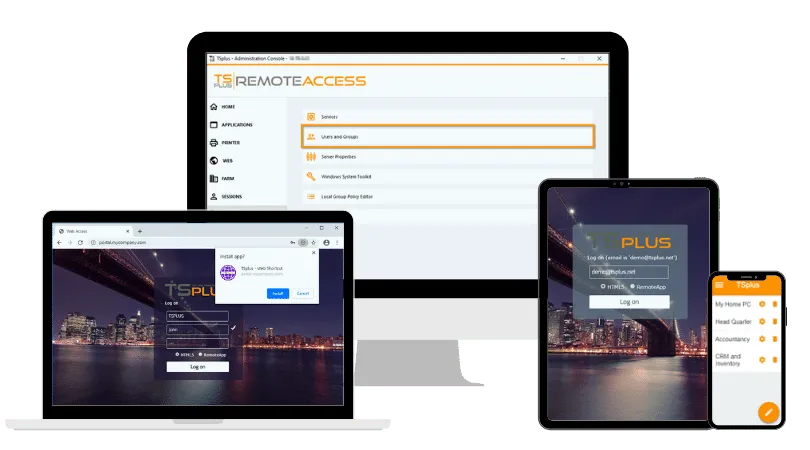
A server refresh is also a natural point to consider whether the existing remote application delivery architecture still meets the organization's needs. TSplus Remote Access provides remote desktops and Windows application publishing through RDP-compatible clients and browser access, while applications remain hosted on Windows infrastructure controlled by the organization.
Our current documentation includes Windows Server 2025 among supported platforms, subject to the relevant prerequisites and edition requirements. In July 2026, our development team also released compatibility updates for the latest Windows Server 2025 updates across the current Remote Access release and its LTS 18 and LTS 17 branches.
For teams moving away from Windows Server 2016, the migration can therefore become an opportunity to review both the server platform and the way Windows desktops and applications are delivered remotely. As with the Microsoft RDS path, production deployment should follow application, authentication and workload testing rather than compatibility assumptions alone.
Conclusion
Windows Server 2025 remote access planning is less about learning a new RDP interface than understanding what changes around it. IT teams should map RDS roles, licensing, authentication, connectivity, applications and capacity before moving production workloads. With Windows Server 2016 support ending in January 2027, starting early leaves room for pilots, staged migration and a cleaner retirement of legacy infrastructure, as well as testing TSplus to compare admin load and simplicity.
TSplus Remote Access Free Trial
Ultimate Citrix/RDS alternative for desktop/app access. Secure, cost-effective, on-premises/cloud
:quality(80)/m/filters:format(webp))
:quality(80)/m/filters:format(webp))
:quality(80)/m/filters:format(webp))
