









)
)
Citrix Personal vDisk was a legacy VDI feature designed to preserve user personalisation in pooled virtual desktops. It helped Citrix admins combine centralised image management with user-installed applications, local settings and profile data.
Today, Citrix Personal vDisk matters mostly because many organisations still maintain older XenDesktop or Citrix Virtual Apps and Desktops environments. For sysadmins, the question is no longer only “What is PvD?” but also “Should we keep it, replace it or simplify the delivery model?”
What Is Citrix Personal vDisk?
Personalized appearance vs Central static image
Citrix Personal vDisk , often shortened to Citrix PvD, was a personalisation feature for virtual desktop infrastructure. It allowed users to keep changes which would normally disappear in a pooled desktop model, such as installed applications, desktop settings and user-specific data.
In a standard pooled VDI deployment the administrator controls a master image. When the master image changes, desktops are refreshed from that controlled image.
A middle ground between centralised and personalised
Though this model is efficient for IT, it can frustrate users who need a more personalised workspace. Personal vDisk tried to solve that tension. It kept the base desktop centrally managed while redirecting user changes to a separate virtual disk attached to the user’s virtual machine.
How Did Personal vDisk Work?
Different storage spaces
Citrix Personal vDisk separated the desktop into two logical parts. The master image contained the operating system and administrator-managed applications. The Personal vDisk stored user-installed applications, profile changes and other personalisation data.
Combining master image and personal preferences
At runtime, Citrix blended the master image and the Personal vDisk into one desktop experience. The user saw a personalised desktop, while the administrator kept the operational benefits of image-based desktop management.
Personal vDisk as a way of meeting halfway
This architecture was especially attractive for static pooled desktops. It gave admins more control than fully persistent desktops while giving users more flexibility than completely non-persistent desktops.
Why Did Citrix Admins Use It?
Citrix admins used Personal vDisk when users needed more freedom than a locked-down pooled desktop could provide. Developers, analysts, engineers and departmental power users often needed tools or settings outside the standard image.
Personal vDisk also helped IT teams avoid building too many golden images. Instead of creating a separate image for every user group, admins could maintain fewer images and let some personalisation live in the user’s PvD.
The trade-off was operational complexity. Storage sizing, image updates, application conflicts and PvD health became part of the admin workload.
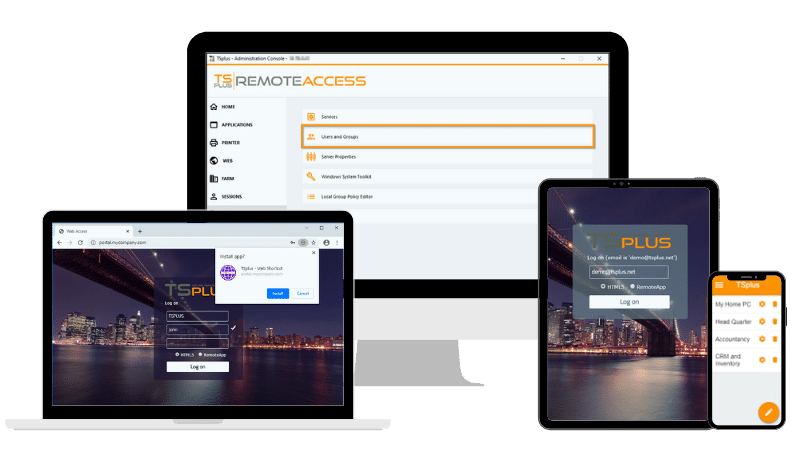
TSplus Remote Access Free Trial
Ultimate Citrix/RDS alternative for desktop/app access. Secure, cost-effective, on-premises/cloud
Citrix Personal vDisk History and Deprecation
Citrix Personal vDisk belongs to an earlier phase of VDI design, when many organisations wanted pooled desktop efficiency without giving up personal workspace persistence. Over time, Citrix shifted toward layering and newer personalisation models.
|
Stage |
What changed |
Admin impact |
|
Early XenDesktop and VDI-in-a-Box usage |
Personal vDisk provided pooled desktops with user-specific persistence. |
Admins could offer personalised desktops without moving fully to persistent VDI. |
|
XenApp and XenDesktop 7.15 LTSR |
Personal vDisk remained documented for legacy deployments. |
Citrix admins could still maintain PvD estates, but modernization planning became important. |
|
Citrix Virtual Apps and Desktops 7 2003 |
The Personal vDisk driver was removed from the VDA installer. |
Upgrades required more attention when older PvD components were present. |
|
Citrix Virtual Apps and Desktops 7 2006 |
The Personal vDisk workflow was removed from Studio. |
Creating or managing PvD through newer Studio workflows was no longer the intended path. |
|
Modern Citrix environments |
Citrix points admins toward User Personalization Layer and App Layering user layers. |
PvD should usually be treated as a legacy dependency, not a future-state design. |
For IT teams, the practical conclusion is clear. Citrix Personal vDisk may still appear in older environments, but it should not be the default design for new deployments.
Why do legacy PvD environments become difficult to maintain?
Personal vDisk solved a real problem, but it did so by adding another moving part to the VDI stack. In older estates, that extra moving part can become a source of incidents, slow change windows and specialist dependency.
The main issue is not only financial cost. The larger cost is often time: time to diagnose failed desktops, time to test image changes, time to train new admins and time to explain unpredictable behaviour to users.
Storage and Boot Dependency
Personal vDisk depends on the user’s personalization disk being available at the right time. When storage is slow, unavailable or misconfigured, the desktop can fail to start correctly or fail to attach the personalization layer.
Admins also have to plan capacity carefully. User-installed applications, profile growth and image update operations can consume more storage than expected. When capacity planning is weak, users experience login failures, failed image updates or missing personalisation.
This often causes PvD environments to become fragile over time. What worked for a pilot group may become hard to operate across hundreds or thousands of users.
Image Update Conflicts
The master image and the Personal vDisk must coexist cleanly. Problems can appear when an application exists partly in the base image and partly in a user’s PvD, or when an administrator changes a dependency that a user-installed application still needs.
This creates a testing burden. Before publishing a new image, admins must consider not only the base image, but also how that image will interact with applications and settings stored in many individual PvDs.
The result is slower patching and more cautious change management. In security-sensitive environments, delayed patching is itself an operational risk.
Support and Training Overhead
Personal vDisk troubleshooting requires Citrix-specific knowledge. Help desk teams may need to understand VDA versions, machine catalogs, provisioning methods, image preparation, PvD reports and storage behaviour.
That knowledge is harder to preserve as organisations move away from older XenDesktop designs. When experienced Citrix admins leave, PvD can become a black box that only a few people know how to repair.
For SMBs, MSPs and lean IT teams, this training burden can be more damaging than the licensing cost itself. A remote access platform should be reliable, understandable and sustainable by the team that owns it.
What Replaced Citrix Personal vDisk?
No single modern technology replaces every Personal vDisk use case. The right replacement depends on what users were storing in PvD and why they needed it.
Before choosing a replacement, classify the need. Is the organisation trying to preserve user profiles, user-installed applications, departmental applications, developer tools or simply access to centrally hosted Windows apps?
Citrix User Personalization Layer
Citrix User Personalization Layer is the closest Citrix-native successor for many PvD-style use cases. It is designed to preserve user data and locally installed applications in non-persistent desktop environments.
For organizations staying with Citrix Virtual Apps and Desktops, User Personalization Layer can be a natural modernization path. However, it still belongs to the Citrix ecosystem and still requires Citrix administration skills, storage planning and image governance.
This option fits organizations that want to keep Citrix VDI while replacing legacy PvD with a more current personalisation approach.
Citrix App Layering User Layers
Citrix App Layering user layers can persist user settings, data and locally installed applications in non-persistent VDI environments. They are useful when an organization wants to separate the operating system, applications and user-specific changes into managed layers.
The benefit is more structured image management. The challenge is that layering adds its own design, storage and operational model.
For large Citrix estates, App Layering can be powerful. For smaller teams, it may still feel too complex if the real business requirement is simply to publish Windows applications securely.
FSLogix Profile Containers
FSLogix Profile Containers are widely used in Microsoft Remote Desktop and Azure Virtual Desktop environments. FSLogix redirects the user profile into a VHD or VHDX container stored on a file share or other supported storage location.
FSLogix is most relevant when the primary issue is profile persistence, Microsoft 365 data or consistent user settings across sessions. It is not a direct replacement for every user-installed application scenario, but it is often part of a modern profile strategy.
Admins should separate profile management from application delivery. This distinction avoids rebuilding a complex PvD-style model when a simpler profile and app publishing design would be enough.
Persistent Desktops and Application Publishing
Some users genuinely need persistent desktops. Developers, CAD users and power users may require assigned machines with local tools, drivers or privileged configurations.
However, many users do not need full persistent VDI. They need secure access to a small set of Windows applications, business tools or legacy software. In those cases, application publishing can certainly be simpler than maintaining personalised virtual desktops.
This is where the migration conversation becomes strategic. Instead of asking how to recreate Personal vDisk, IT teams should ask which users still need VDI and which users only need reliable remote access to applications.
When Is the Time to Migrate Away From Citrix Personal vDisk?
Overflowing support tickets, knowledge gap, or both
A Citrix Personal vDisk environment should be reviewed when it blocks upgrades, creates recurring support tickets or depends on knowledge the team no longer has. Legacy PvD should also be reviewed when storage costs, image update windows or user complaints increase.
Migrating to an alternative does not always mean replacing Citrix immediately. Some organisations will move from PvD to Citrix User Personalisation Layer. Others will rebuild persistent desktops for specialist users. Others will reduce Citrix scope by moving standard users to application publishing.
The key is to avoid one large, risky migration.
Start by segmenting users into practical groups:
- Users who only need published Windows applications.
- Users who need a full remote desktop but not user-installed software.
- Users who need persistent desktops for specialist workflows.
- Users who need admin support, monitoring or secure remote access controls.
- Users with varying needs or a wider range of responsibilities.
Once the groups are clear, the target architecture becomes easier to define.
How Does TSplus Help Simplify Legacy Citrix Delivery?
TSplus Remote Access is not a one-to-one replacement for Citrix Personal vDisk. It does not try to recreate PvD’s exact model of user-installed applications inside pooled VDI.
Instead, TSplus helps a simpler underlying goal: deliver Windows applications or desktops securely to remote users, reduce Citrix infrastructure complexity and lower the operational burden on IT teams.
Securely Delivering Windows Desktops, Applications and More
Remote access to published apps and desktops made simple
TSplus Remote Access enables IT teams to publish Windows applications and full desktops through RDP, RemoteApp-style access or an HTML5 web portal. Users can connect from different devices without the same Citrix client and brokering complexity.
This is valuable when Personal vDisk existed mainly because users needed access to business applications, not because every user truly required a personalised virtual machine. In that scenario, central application publishing can remove the need for many personalised VDI desktops.
Citrix to TSplus migration in practice
TSplus case studies show this pattern in practice.
- Alteva transitioned application servers from Citrix to TSplus to support around 2,000 users with a more cost-efficient remote access model.
- CEI Informatique uses TSplus Remote Access and Advanced Security for a scalable SaaS and application delivery environment.
- Optimium uses TSplus to deliver secure application and server access across diverse customer networks.
Since the onset, we have been working to make app publishing simpler, more secure and more affordable, without the Citrix complexity .
Advanced Security for application servers and remote desktops
Legacy Citrix environments often include multiple externally reachable components, gateways, clients and policies. TSplus Advanced Security helps harden remote access by adding practical controls such as brute-force protection, IP filtering and ransomware protection.
For teams moving away from older Citrix designs, security is unlikely to be an afterthought. A simpler infrastructure also needs strong access controls, hardened exposure and clear administrative rules.
TSplus Advanced Security is especially relevant for protection around remote access while maintaining an uncomplicated operations stack.
Server Monitoring and Remote Support for day-two operations
Migration does not end when users can log in. IT teams still need visibility into servers, applications, sessions and user experience.
Network monitoring
TSplus Server Monitoring affords administrators real-time and historical insight into servers, websites, applications and users. This helps teams identify overloaded servers, performance trends and availability issues before users escalate them.
Support and assistance from anywhere and any device
TSplus Remote Support adds attended and unattended assistance for users and systems. For a migration away from Citrix, that matters because the help desk needs a direct way to support users during transition, onboarding and post-migration stabilization.
Migration Checklist: From Citrix Complexity to TSplus Simplicity
Use this checklist to decide how TSplus can replace part of your legacy Citrix delivery model.
|
Migration question |
Citrix Personal vDisk environment |
TSplus Remote Access path |
|
What are users really doing? |
Users may have personalised desktops because the old VDI design allowed it. |
Identify which users only need published apps or full remote desktops. |
|
How are applications delivered? |
Applications may be split across master images, PvDs and departmental installs. |
Centralise Windows applications and assign them to users or groups. |
|
How complex is administration? |
Admins manage images, PvDs, storage, VDA versions and Citrix policies. |
Admins manage remote access, application publishing and user assignments from a simple console. |
|
What creates the most support tickets? |
PvD attach failures, storage issues, image update conflicts or client problems. |
Reduces endpoint dependency, avoiding per-user PvD troubleshooting. |
|
How is security enforced? |
Security may be spread across Citrix components, gateways and third-party tools. |
Add TSplus Advanced Security and 2FA for practical hardening. |
|
How is performance monitored? |
Monitoring may depend on Citrix tools and specialist knowledge. |
Use TSplus Server Monitoring for servers, applications and user activity. |
|
What is the training burden? |
New admins need Citrix-specific VDI and PvD knowledge. |
Operations are easier to document and hand over to lean IT teams. |
A safe migration usually starts with a pilot. Select a user group which relies on standard business applications, publish those applications with TSplus Remote Access and compare support effort , login experience and admin workload.
Do not begin with the most complex PvD users. Start with the users whose Personal vDisk dependency is historical rather than technical.
Conclusion
Citrix Personal vDisk was an important feature for its time. It helped Citrix admins combine pooled desktop management with user personalisation, but it also introduced storage dependencies, image update complexity and specialist troubleshooting requirements.
For legacy XenDesktop and Citrix Virtual Apps and Desktops environments, the best path is not always to recreate PvD. Some users may need Citrix User Personalization Layer, App Layering or FSLogix. Many others may simply need secure, reliable access to centralised Windows applications or desktops.
TSplus Remote Access gives IT teams a simpler and more affordable way to publish applications and desktops without rebuilding a full Citrix VDI personalisation stack. With TSplus Advanced Security, Server Monitoring and Remote Support, organisations can modernise access, reduce operational burden and give admins a clearer migration path away from legacy Citrix complexity.
Scale remote access with better ROI. How about talking to a TSplus specialist .
TSplus Remote Access Free Trial
Ultimate Citrix/RDS alternative for desktop/app access. Secure, cost-effective, on-premises/cloud
)
)
)
