








)
)
Introduction
Windows applications can be installed and managed on individual endpoints or hosted centrally and delivered to users remotely, depending on application and infrastructure requirements. Choosing between these models requires more than comparing technologies. This article explains how Windows application packaging works, how it differs from application publishing, when each approach makes sense and how IT teams can combine both within the same application delivery strategy.
What Is Windows Application Packaging?
Windows application packaging involves the preparation of an application and the files, configuration and metadata it requires for predictable installation and management.
Rather than manually configuring an application on all target systems, IT teams can use a standardised package to make installation, configuration, updating and removal more consistent.
Microsoft's modern Windows packaging model includes MSIX, which enables the provision of package identity, predictable installation and removal, controlled updates and integration with Windows features.
Traditional Win32 applications can take advantage of technologies such as MSI and EXE installers.
Application packaging therefore dictates what needs to be installed, how installation and removal should occur, what configuration is provided to users and how upgrades will take place. Its aim is to enable application deployment to be repeatable and manageable across the target Windows environment.
What Does an Application Package Contain?
The contents of an application package depend upon the packaging technology, the application itself.
An MSIX package for example, combines the payload of an application with a manifest that defines elements such as package identity, dependencies and capabilities. The important distinction here is that the package defines a unit of distribution and deployment, rather than specifying where the application has to run.
Traditional enterprise packaging can also involve transforming or wrapping an existing installer, adding configuration, defining the logic for deployment and validating the final package before rollout.
Application packaging is therefore more than just putting application files inside another file. It aims to make software installation repeatable, manageable, and supportable.
Windows Application Packaging: How Does It Work?
Packaging workflows vary depending on the application, packaging format and management platform. However, most packaging workflows are generally broken down into three different stages: discovery, package creation and testing prior to deployment.
Application Discovery and Requirements
Prior to performing a repackaging of an existing application, it is critical for administrators to understand what the application's installer modifies and what the application requires during runtime.
Discovery activities include, but are not limited to:
- files and directories
- registry entries
- Windows services
- runtime dependencies
- environment variables
- file associations
- permissions
- shortcuts and configuration files
The environment the application is deployed to can be just as important as the installer. An application that is developed and tested on a developer's workstation may act differently when run using standard user permissions, on a clean enterprise Windows image or on a multi-user Windows Server environment .
Package Creation and Configuration
IT teams then prepare the application using appropriate packaging technology for the given software and deployment model.
In the case of Windows applications, this might mean creating an MSIX package. This could involve leaving existing software that uses Win32 in its MSI or EXE installer form or converting some applications to MSIX. Different approaches to packaging can provide identity for the package while allowing the software to maintain elements of its existing installation model.
Hence, there is no single packaging format that suits all Windows applications. The application, its environment, and management needs should dictate the packaging approach.
Testing and Deployment
Packages should be tested on clean systems that replicate the target production environment.
The testing process should include installation, first launch, dependencies, updates, application functionality and uninstall behaviour. Administrators should also check that permissions and user-specific configurations are handled correctly, especially in the case of file or registry redirection that may occur when packaging applications.
After validation, packages can then be distributed via the organisation's preferred software distribution or endpoint management platform.
Now, let's take a step back and clarify a subtle but critically important distinction:
Applications are packaged, then deployed
The separation of these functions is important because it creates a natural transition point for application publishing.
What Is Windows Application Publishing?
Windows application publishing serves to publish an application that is installed on centralized Windows infrastructure to authorized users via a network or the Internet.
The application is executed on a remote Windows host instead of being executed on each user’s endpoint. In this case, the user is given access to the remotely executed application through a compatible client, shortcut or web browser.
Application installed on server → user granted access → application executed on server → application interface delivered to user
This approach is different, as instead of installing and maintaining the business application on each endpoint, administrators are required to maintain it on the servers which host the user’s session. As such, users are able to access an application that seems to blend into their working environment seamlessly, despite being hosted on centralized infrastructure.
Windows Application Packaging vs Application Publishing: How Do They Differ?
The simplest distinction is:
Application packaging determines how software is prepared for installation and management. Application publishing determines how users access software executing on centralized infrastructure.
The technologies therefore operate at different stages of application delivery.
| Question | Windows Application Packaging | Application Publishing |
|---|---|---|
| Primary purpose | Prepare software for repeatable installation and maintenance | Give users access to centrally hosted applications |
| Main IT question | How should we install and manage this application? | How should users access and run this application? |
| Where does the app run? | On whichever system receives the application | On the publishing or session host |
| Local installation on user endpoint? | Usually required for endpoint deployment | Complete application installation normally not required |
| Updates | Must reach applicable deployment targets | Can be applied centrally to publishing hosts |
| Endpoint requirements | Endpoint must support the locally executed application | Endpoint primarily needs a compatible access method |
| Typical scope | Software lifecycle and endpoint/server management | Centralized application delivery |
| Common use cases | Managed PCs, standardised software, controlled rollouts | Remote users, BYOD, legacy apps and centralized application access |
One qualification: application packaging does not dictate where said software is operated.
MSIX, MSI or any other form of package can be deployed to a workstation, laptop, virtual machine or server. Packaging dictates how the software gets installed and serviced. Target deployment therefore dictates where the application gets installed.
Application publishing introduces a further architectural consideration. The application processes on centralized infrastructure while its interface gets delivered on remote endpoints for authorized users.
In which case could you use application packaging and publishing together?
Yes. They address different points in the application delivery lifecycle and can be used independently or in combination.
Consider an organization that has a line-of-business Windows application. If it needs to be run locally, it can be packaged and deployed to every managed endpoint:
Package → deploy to endpoints → application runs locally
If the organization needs to centralise, it could be packaged or installed on relevant session hosts and then be published:
Package or install → deploy to centralized hosts → publish → application runs centrally
In this case, application packaging is not necessarily abandoned. It is just applied to centralised hosts instead of every user’s device, which can simplify keeping the application consistent on multiple publishing servers.
Application packaging and application publishing are not mutually exclusive: packaging standardises the application installation and maintenance, while publishing dictates its access method. Depending on the application’s needs, IT can use one method, the other, or both in combination.
In which case would it be better to use Windows Application Packaging?
Microsoft Windows application packaging is most appropriate when local execution is beneficial, and IT can effectively manage devices on which the application is hosted. In such instances, it enables standardisation of installation and maintenance while leaving application execution location to users.
Users Need Offline Access
Applications installed locally can operate effectively, even if users are unable to access central resources, which is often the case for mobile employees, field workers and other nomadic workers.
Packaging helps IT organisations ensure that this approach is used consistently by standardising installation, configuration and updates on managed endpoints.
Applications Depend on Local Hardware or Processing
Some applications function most effectively when run locally because they are inherently dependent on or integrated with the resources of the endpoint.
Local deployment avoids the introduction of a remote session between the application and the resources, and packaging provides a repeatable method for installing and configuring the application on endpoints capable of supporting local execution.
Endpoints are standardized and centrally managed
Packaging also makes sense in the situation where an organisation already has a controlled set of Windows devices and an endpoint-management platform to manage them. If the environment contains mostly similar devices and operating systems at the same configuration level, local application deployment and management may present no significant difficulty.
Packages provide an organized approach to application management, which makes the task of installing and servicing the application on end-user devices easier. In this scenario, introducing central execution may not be necessary and add an extra layer of complexity unless there is an actual business need for such a measure.
Therefore, the key question is not whether the application can be packaged, but whether it is viable to install, update and manage it on every target device considering the specific environment and requirements.
When Does Application Publishing Make More Sense?
Application publishing becomes more desirable when local installation incurs undue operational or compatibility complexities.
Several typical situations are worth consideration.
Remote and Distributed Users
Remote workers, branch office personnel and contractors do not always work from well-managed locations or devices like corporate PCs.
Application publishing preserves the Windows app on central servers while allowing remote access by authorized users, therefore relieving administrators of the burden of replicating the application environment on every remote device.
BYOD and Mixed Endpoint Environments
A Windows application might not necessarily execute on every kind of device that a particular organisation uses.
Publishing applications decouples the execution environment from the end user. By using such a method, an individual can access a centrally hosted Windows app via an approved browser or client on their machine, which would otherwise not be able to run the application.
This strategy is ideal for both bring-your-own-device (BYOD) and other environments where there are multiple endpoint operating systems.
Legacy Windows Applications
Legacy applications can complicate deployment efforts by relying on operating system dependencies, ageing components and difficult configuration constraints.
Centralising the application can help reduce environments in which IT has to make the software work. It won't necessarily solve application compatibility issues, but it can limit those problems to controlled Windows hosts, instead of a sprawling collection of endpoints.
This can simplify standardisation around access to legacy applications as an organisation works toward a longer-term modernisation plan.
Applications Requiring Frequent Updates
Frequent changes to an application make its local deployment more difficult, especially when the number of endpoints increases.
With application publishing, administrators update the application in the relevant central hosts. Users then access the updated application without needing to update the software on all endpoints.
The process is especially advantageous when many users are dependent on the same application but do not have to use it locally.
How Should IT Teams Choose Between Packaging and Publishing?
IT teams should look to the application's operational requirements rather than the choice of technology.
If local installation is easy to maintain, your endpoints are tightly controlled and users need offline or hardware-dependent capabilities, packaged endpoint deployment makes the most sense. If your users are distributed, your endpoints are heterogeneous, local installation is challenging or the application is easier to keep up-to-date centrally, application publishing can reduce endpoint management overhead.
Many enterprises will require both models. Your managed desktop users might get locally deployed applications, but contractors, telecommuters or those using unmanaged devices might get centrally published access to specific business software.
The choice becomes much clearer if IT decouples three questions.
- How should the application be packaged and maintained?
- Where should the application be deployed and run?
- How should users access it?
Looking at packaging, deployment and access as separate decisions prevents two fundamentally different technologies from being compared as if they were the same solution.
How Can TSplus Remote Access Be A Solution?
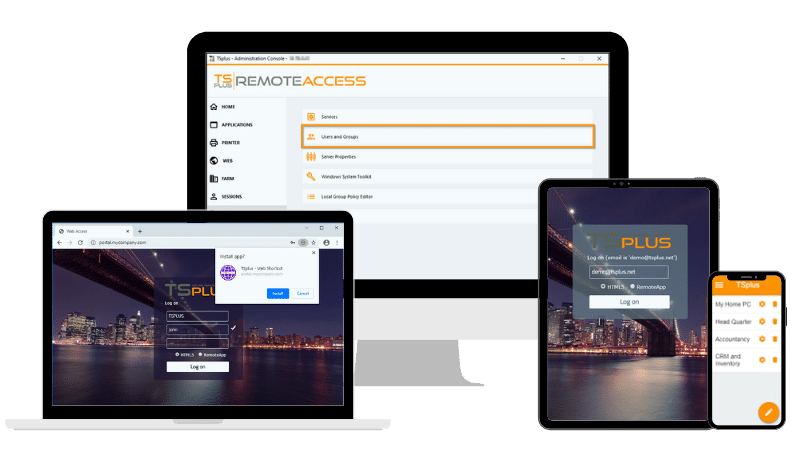
Organizations that want centralized Windows application delivery without deploying the complete application to every endpoint can use TSplus Remote Access to publish selected Windows applications or provide full remote desktops from centralized Windows infrastructure.
Administrators can assign applications to specific users or groups and provide access through supported remote clients or browser-based HTML5 connections. This makes application publishing an option for organisations supporting remote users, BYOD environments or Windows applications that are easier to maintain centrally.
Conclusion
Windows application packaging provides a repeatable way to install, configure and maintain software, while application publishing gives users access to applications executing on centralized infrastructure. Neither approach inherently replaces the other, and both can form part of the same application delivery strategy.
The right model depends on application requirements, endpoint management and user access needs. By considering packaging, deployment location and access separately, IT teams can decide whether an application should run locally, centrally or through a combination of both models.
TSplus Remote Access Free Trial
Ultimate Citrix/RDS alternative for desktop/app access. Secure, cost-effective, on-premises/cloud
)
)
)
